
Selling through Shopify, Amazon, and Noon gives UAE businesses more ways to reach customers. However, managing products and inventory across multiple platforms can be difficult when information does not update correctly.
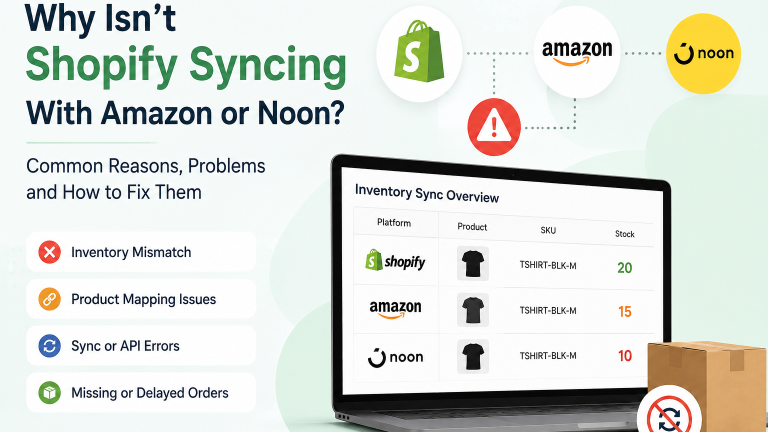
You may see 20 units in your Shopify store, while Amazon shows 15 and Noon shows 10. As a result, one customer could place an order for a product that another customer has already purchased elsewhere. These inventory mismatches can lead to overselling, cancellations, refunds, and unnecessary manual work.
So, why does this happen? Several factors can affect Shopify inventory sync, including product mapping, SKUs, inventory settings, marketplace connections, and integration errors.
Why Isn’t Shopify Syncing With Amazon or Noon?
Shopify is an e-commerce platform, while Amazon and Noon are online marketplaces. Businesses need suitable integrations to keep products, inventory, and orders updated across these sales channels.
A sync problem can happen when:
- Products use incorrect or missing SKUs
- The integration maps products incorrectly
- Product variants do not match
- You disable inventory tracking
- You select the wrong inventory location
- An integration app develops an error
- An API connection stops working
- Marketplace settings do not match your setup
- Inventory updates take too long
For example, a single SKU mismatch can prevent the correct stock from updating across platforms. In addition, incorrect product mapping can affect both inventory and order data.
Before you change stock manually, first check whether the issue affects one product, several products, or your entire catalogue. Then, compare the product details across each platform. As a result, you can identify where the problem starts more quickly and avoid unnecessary changes.
Common Shopify-Amazon Integration Problems
A Shopify Amazon integration can make it easier to manage products, stock, and orders from one place. However, the connection still needs the right product structure and settings.
Different Inventory Quantities
Shopify may show a different stock quantity from Amazon. Often, incorrect product mapping or delayed updates cause the mismatch.
Therefore, compare the same product on both platforms. Check its SKU, variant, inventory quantity, and assigned location before making any manual changes.
Amazon Orders Are Not Appearing in Shopify
An Amazon order may sometimes fail to reach Shopify. Order import settings, product connections, or integration errors can contribute to the problem.
Similarly, check whether the issue affects one order or every new order. A single missing order may point to a product-level problem, while repeated failures may indicate a wider integration issue.
Product Variants Do Not Match
Products with different sizes, colours, or pack options need consistent product information across platforms. Otherwise, Shopify may connect an order to the wrong variant.
For example, a medium shirt could link to the large variant because of an incorrect product mapping. As a result, the system may reduce stock from the wrong item.
Why Is Shopify Not Syncing With Noon?
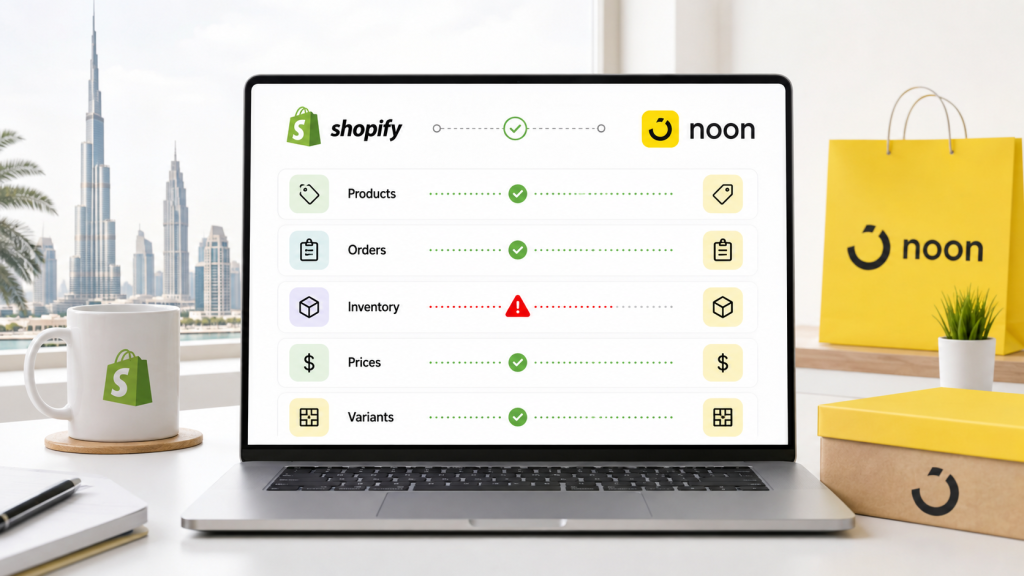
Unlike Amazon, Noon is not a native Shopify Marketplace Connect channel. Businesses can connect Shopify with Noon through a third-party connector, middleware, ERP system, or custom integration using Noon’s APIs.
First, identify which information is failing to sync:
- Inventory
- Products
- Orders
- Prices
- Variants
Once you know what is affected, the problem becomes easier to narrow down. For instance, prices may update correctly while inventory remains unchanged. In that case, the inventory connection needs more attention than the rest of the integration.
What Happens When Inventory Does Not Sync?
An inventory mismatch can quickly become a business problem.
Imagine that your Shopify store shows one item in stock. A customer buys it through Amazon, but Shopify does not receive the update. Meanwhile, another customer purchases the same product from your website.
Now you have two orders for one item.
As a result, your team may need to cancel an order, issue a refund, or contact the customer. In addition, someone may have to correct the inventory manually across several platforms.
Common consequences include:
- Overselling
- Cancelled orders
- Refunds
- Delayed fulfilment
- Customer complaints
- Incorrect stock levels
- Extra manual work
- Lost sales
Moreover, these problems become harder to manage as order volume increases. A small mismatch may not seem serious at first, but frequent errors can affect your daily operations.
How to Check a Shopify Inventory Sync Problem
You do not need to change your entire catalogue immediately. Instead, start with one product that has a clear mismatch.
1. Compare the Same Product
Open the product in Shopify, Amazon, and Noon. Compare the stock quantity and product information.
2. Check the SKU.
Make sure the product uses the correct SKU across the connected platforms. Inconsistent product identifiers can cause mapping problems.
3. Review Product Variants
Check sizes, colours, packs, and other variants separately. A mismatch in one variant can affect inventory for another.
4. Check Product Mapping
Make sure the Amazon or Noon listing connects to the correct Shopify product. Incorrect mapping can cause both inventory and order problems.
5. Review Inventory Locations
Businesses with multiple warehouses or locations should check which location supplies inventory to each sales channel. The wrong location can make available stock appear incorrect.
6. Check Recent Orders
Review recent Amazon and Noon orders in Shopify. See whether the order arrived and whether the inventory changed afterward.
7. Look for Integration Errors
Finally, check your integration app or connected system for error messages, disconnected accounts, or failed updates. Testing one product can help you understand the problem before making wider changes.
Can Your Shopify Store Setup Cause Sync Problems?
Yes, your store structure can contribute to synchronisation problems. A properly organised Shopify store makes it easier to connect products and inventory with external sales channels.
Your products should have consistent
- SKUs
- Product names
- Variants
- Inventory locations
- Fulfilment settings
For example, different SKUs for the same product can make it difficult for an integration to identify the correct item. Therefore, organising products properly during your Shopify store setup can prevent some problems before you connect additional marketplaces.
Can Shopify Support Fix Sync Problems?
Shopify Support can help with Shopify platform issues and supported features. However, marketplace synchronisation can involve other systems as well.
The problem may come from:
- Amazon
- Noon
- A third-party integration
- Product mapping
- An API connection
- ERP or warehouse software
- Custom development
Therefore, identify which system causes the problem before deciding where to ask for help. Shopify Support may not be able to change a third-party integration or custom workflow.
Should You Use an Integration App or Custom Development?
A standard integration app can work well for a store with straightforward requirements. For example, a business with one warehouse, a smaller catalogue, and simple inventory rules may not need a custom solution.
However, requirements can change as the business grows. Multiple sales channels, warehouses, and business systems can make inventory management more complicated.
Custom development may make sense when you need:
- Multiple warehouse connections
- ERP integration
- Several marketplaces
- Complex inventory rules
- Custom order workflows
- Advanced automation
- Special API requirements
Moreover, a custom solution can connect different systems around the way your business actually operates instead of forcing your workflow into the limitations of a standard app.
What About Shopify Stores Expanding Beyond the UAE?
Marketplace synchronisation can become even more important when a business expands into other markets.
A UAE business may later operate a Shopify Saudi store or run an online store in Kuwait while continuing to sell through other channels. Consequently, the business may need to manage more products, inventory locations, orders, and fulfilment processes.
A well-organised Shopify setup can make that expansion easier to manage.
Can Inventory Problems Affect Shopify Marketing?
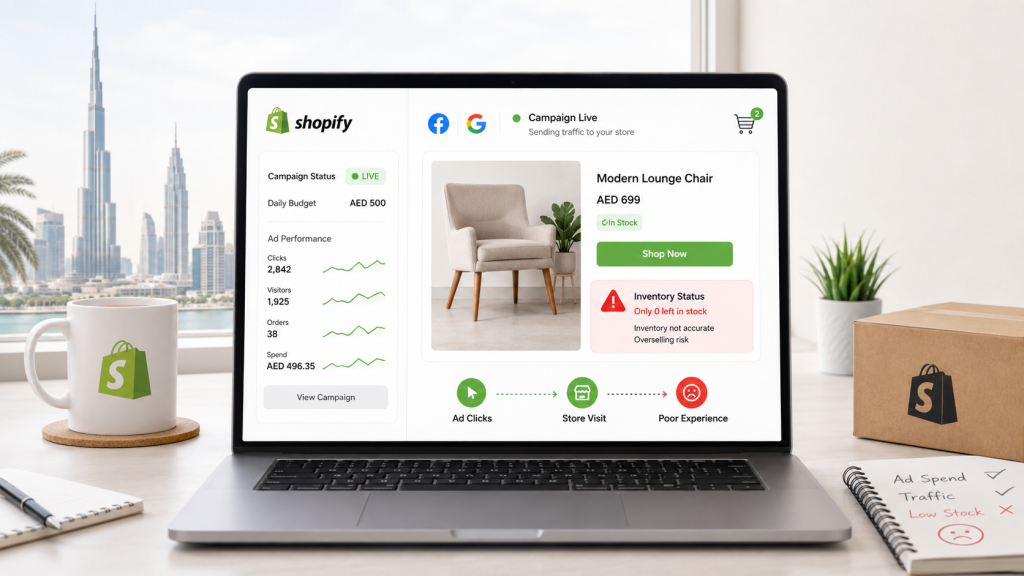
Yes. Accurate inventory is important when you invest in Shopify marketing.
Suppose an advertisement promotes a product that your website shows as available. However, the actual stock has already been sold through Amazon or Noon. The customer may still click the advertisement and place an order.
As a result, inaccurate inventory can waste advertising spend and create a poor customer experience. Therefore, businesses should keep their inventory information as accurate as possible before increasing marketing activity.
When Should You Contact a Shopify Developer?
Some sync problems only require a settings change or a connection refresh. However, repeated problems may point to a larger integration issue.
Consider getting professional help when:
- The inventory keeps changing incorrectly
- Amazon or Noon orders repeatedly fail to sync
- Products require frequent manual corrections
- Your integration cannot support your workflow
- You need ERP or warehouse integration
- Multiple marketplaces need to share inventory
- API connections keep failing
Repeatedly correcting stock may solve the immediate issue, but it does not necessarily fix the cause. A Shopify developer can review the connection, identify where the information stops moving, and recommend a suitable solution.
Frequently Asked Questions
1. Why isn't my Shopify inventory syncing with Amazon?
Common causes include incorrect SKUs, product mapping problems, inventory settings, connection errors, and delayed updates. Checking one affected product can help identify the source of the problem.
2. Why isn't Shopify syncing with Noon?
The issue may involve product mapping, inventory settings, the integration app, API connections, or marketplace configuration. Start by identifying whether products, orders, inventory, or prices are affected.
3. Can duplicate SKUs cause Shopify sync problems?
Yes. Duplicate or inconsistent SKUs can make it difficult for an integration to identify the correct product or variant.
4. Why are Amazon orders not appearing in Shopify?
Order import settings, product mapping, integration errors, or connection problems can prevent Amazon orders from appearing correctly in Shopify.
5. Can Shopify manage Amazon and Noon inventory?
Yes, but the setup usually requires different integrations. Amazon can connect through supported Shopify marketplace tools, while Noon typically needs a third-party connector, ERP, middleware, or custom API integration.
6. Do I need a developer to connect Shopify with Amazon or Noon?
Not always. A standard integration may work for simple requirements. More complex inventory rules, ERP connections, warehouse systems, or marketplace workflows may require custom Shopify development.
Need Help With Shopify Marketplace Sync?
Keeping Shopify, Amazon, and Noon inventory accurate becomes increasingly important as your business grows. Instead of repeatedly correcting stock manually, finding the source of the synchronization problem can help prevent the same issue from happening again.
MAQ Computer Services LLC helps UAE businesses with Shopify development, marketplace integrations, API solutions, e-commerce automation, and ongoing Shopify support.
Need help with a Shopify integration that is not working correctly? Contact MAQ Computer Services LLC to have your Shopify setup and marketplace connection reviewed.
Contact MAQ Computer Services LLC.
Official Shopify Partner — UAE
Phone: +971 55 494 3599 | +971 50 708 0116
Email: info@maquae.com


