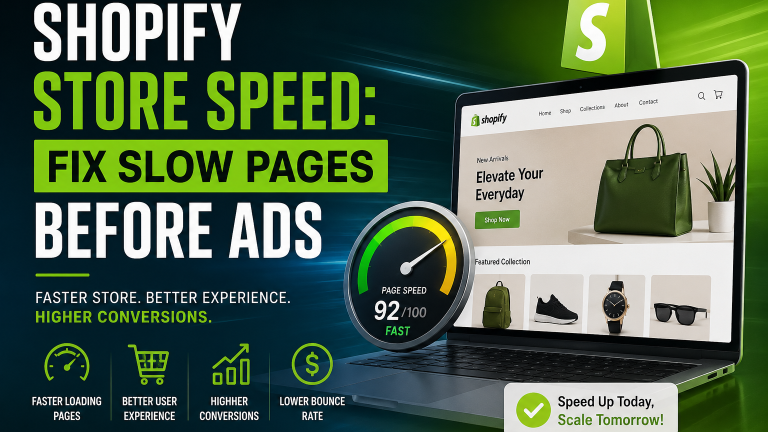
A slow Shopify store can turn paid traffic into wasted advertising spend. Shopify store speed optimization should be a priority before increasing Google Ads or Meta Ads budgets, as a faster store can improve mobile usability, reduce delays, and make it easier for customers to move from product discovery to checkout.
More traffic will not automatically create more sales if visitors land on a website that takes too long to load or feels difficult to use. For growing ecommerce businesses in the UAE, improving website performance before scaling advertising can create a stronger foundation for better user experience and conversions.
The Situation
Imagine an ecommerce business that is already receiving traffic from Google Ads, Instagram, Facebook, and organic search. The business wants to increase its advertising budget because its products are generating interest. Traffic is increasing, but sales are not growing at the same rate.
At first, the advertising campaigns may look like the main problem. However, the issue may actually begin after visitors click the advertisement.
Customers arrive on the Shopify store and wait several seconds for product pages to load. Images appear slowly. Some sections take time to respond. Mobile users have to wait before they can interact with the page. Instead of exploring the products, some visitors leave. Increasing the advertising budget at this stage can simply send more users into the same poor shopping experience.
Why Shopify Store Speed Matters Before Scaling Ads
Paid advertising is designed to bring potential customers to an e-commerce website. Once they arrive, the website becomes responsible for turning that traffic into product views, cart additions, checkout sessions, and purchases.
- A fast Shopify store allows shoppers to move between pages with less friction.
- A slow store creates the opposite experience.
Customers may click a product from an advertisement and then leave before the product page finishes loading. Others may browse one page but avoid opening additional products because every interaction feels slow.
Mobile visitors are especially important for e-commerce businesses because a large portion of social advertising traffic comes from smartphones. If the mobile shopping experience is slow, advertising performance can suffer even when the campaign targeting and creative are strong.
What Can Make a Shopify Store Slow?
Several elements can affect Shopify website speed.
Large Product Images
High-quality product photography is important for e-commerce, but uploading very large image files can increase page loading time. A store with multiple product images, banners, collection images, and promotional graphics can become heavy if those files are not properly optimized. Images should maintain visual quality while using suitable dimensions and compressed file sizes.
Too Many Shopify Apps
Apps make Shopify stores more powerful. They can add reviews, WhatsApp chat, loyalty programs, popups, product recommendations, analytics, upsells, and many other features. However, installing too many apps can introduce additional scripts into the storefront. Some apps may continue affecting performance even when their visible features are used only on certain pages. Businesses should regularly review installed apps and remove tools that are no longer necessary.
Heavy Theme Features
Modern Shopify themes can include sliders, animations, videos, interactive banners, product recommendations, quick view features, and other visual components. These elements can improve design, but too many features on a single page can reduce performance. The homepage should not try to display every possible feature at once. A simpler structure often provides a faster and clearer customer journey.
Third-Party Scripts
Analytics tools, advertising pixels, chat widgets, tracking software, personalization platforms, and marketing tools can add additional scripts to a Shopify website. These tools may be necessary, but they should be implemented carefully. Unnecessary scripts can increase the amount of work the browser performs before the page becomes fully interactive.
Unoptimized Theme Code
A Shopify theme can accumulate unused sections, old app code, custom scripts, and unnecessary CSS over time. This often happens after multiple redesigns or app installations. Cleaning the theme code can improve performance while making future website maintenance easier.
Why More Ad Spend Cannot Fix a Slow Store
Advertising can increase website traffic, but it cannot repair the customer experience after someone lands on the website. Consider a store that receives 5,000 paid visitors every month.
If the website is slow, a percentage of those visitors may leave before viewing a product properly. Now imagine increasing the campaign budget and bringing 10,000 visitors.
The store may receive twice as much traffic, but it can also lose twice as many potential customers if the underlying website issues remain. This is why e-commerce businesses should evaluate both advertising performance and website performance together. Scaling traffic works best when the store is ready to handle it.
How Shopify Speed Optimization Can Improve Store Performance
Improving Shopify performance normally begins with an audit. The goal is to identify which elements are creating the largest delays and then improve them without damaging important store functionality.
Optimize Images
- Product images, homepage banners, collection graphics, and promotional images should be compressed before being uploaded.
- Stores should also avoid displaying oversized images when smaller dimensions are enough for the page layout.
Review Shopify Apps
- Every installed app should have a clear business purpose.
- Apps that are unused, duplicated, or providing little value should be reviewed.
- Removing unnecessary applications can reduce scripts and simplify store management.
Improve Theme Performance
- Theme sections should be evaluated based on both design and performance.
- Unused components can be removed, and heavy visual elements can be simplified.
- Developers can also review Liquid code, JavaScript, and CSS to identify unnecessary resources.
Use Lazy Loading.
- Lazy loading allows certain images and content to load only when users move toward that part of the page.
- This can reduce the amount of content that needs to load immediately when a visitor first opens the website.
Review Mobile Performance
- Shopify store speed optimizationshould not be evaluated only on desktop.
- Product pages, collection pages, menus, filters, buttons, and checkout-related journeys should all be tested on mobile devices.
- A page may appear fast on a strong office internet connection but perform differently for mobile shoppers.
How MAQ Can Help Improve Shopify Store Performance
For UAE e-commerce businesses that need technical support, MAQ Computer Services LLC can review and improve the areas that may be slowing down a Shopify store.
MAQ can support businesses with:
- Shopify website performance audits
- Theme code optimization
- Image and media optimization
- Shopify app reviews and cleanup
- Mobile performance improvements
- Product page and collection page optimization
- Custom Shopify development
- Ecommerce integrations
- User experience improvements
- Google Ads and Meta Ads landing page improvements
The goal is not only to improve loading speed. MAQ can review how the Shopify store performs across the complete customer journey, from the first advertisement click to product browsing, cart, and checkout.
For stores with deeper technical or structural issues, businesses can also consider MAQ’s ecommerce website development services in Dubai to improve store design, functionality, integrations, mobile usability, and overall performance before increasing advertising investment.
Product Pages Need Special Attention
For paid advertising campaigns, product pages are often the most important landing pages. A customer may click directly from an Instagram advertisement or Google Shopping result into a specific product. That page should quickly answer important questions.
- What is the product?
- How much does it cost?
- Which variants are available?
- When can it be delivered?
- Can the customer trust the business?
- What should they do next?
Large images, unnecessary popups, excessive apps, and complex page sections can distract customers while also affecting speed. A good Shopify product page should balance visual presentation with performance.
Check the Store Before Increasing the Advertising Budget
Before increasing Google Ads or Meta Ads spending, ecommerce businesses should review several areas.
- Check homepage loading speed.
- Test important product pages.
- Test the website on multiple mobile devices.
- Review collection filters and navigation.
- Confirm that product images load efficiently.
- Remove unnecessary Shopify apps.
- Review tracking scripts.
- Test the cart and checkout journey.
- Check whether key pages respond quickly after users click buttons.
Website performance should become part of the advertising preparation process, not something considered only after campaign results decline.
Faster Stores Create a Better Foundation for Growth
Shopify store speed optimization is not simply a technical improvement. It supports the entire e-commerce customer journey. Advertising brings people to the website. Store performance determines how easily those visitors can browse products, compare options, add items to the cart, and continue toward checkout.
For UAE e-commerce businesses planning to increase paid advertising, improving the Shopify website first can help ensure that additional traffic reaches a shopping experience that is ready to convert. Businesses that need deeper improvements can also review their store structure, theme, integrations, mobile experience, and performance as part of professional e-commerce website development in Dubai.
Before spending more money to bring additional visitors to a Shopify store, make sure the store is ready to receive them. More traffic creates more opportunity only when the website provides a fast and smooth path from an advertisement click to purchase.
If a Shopify store is struggling with slow pages, theme performance, mobile usability, custom functionality, or e-commerce integrations, MAQ Computer Services LLC can help identify the issues and recommend suitable improvements for UAE businesses.
Businesses can contact MAQ to discuss Shopify development, e-commerce website development, performance optimization, and digital marketing requirements before scaling paid campaigns.
Frequently Asked Questions
1. Does Shopify store speed affect SEO?
Yes. Page performance contributes to user experience and can influence search performance, especially when slow pages lead to poor engagement.
2. What is the difference between Shopify speed score and Core Web Vitals?
A Shopify speed score gives a general indication of storefront performance, while Core Web Vitals measure specific aspects such as loading, responsiveness, and visual stability.
3. How often should a Shopify store speed test be performed?
It is useful to test store performance regularly and after major changes such as installing apps, changing themes, or adding new scripts and features.
4. Can Shopify stores become slower as they grow?
Yes. As stores add more products, apps, integrations, tracking tools, and custom features, performance can gradually change if these elements are not reviewed.
5. Should Shopify speed optimization be done before redesigning a store?
Not always. A performance audit can help determine whether the existing theme can be improved or whether deeper design and development changes are actually necessary.


![Must Have Shopify Apps in 2021 [FREE]](https://blog.expertsinshopify.com/wp-content/uploads/2021/02/custom-shopify-app-600x400.jpg)