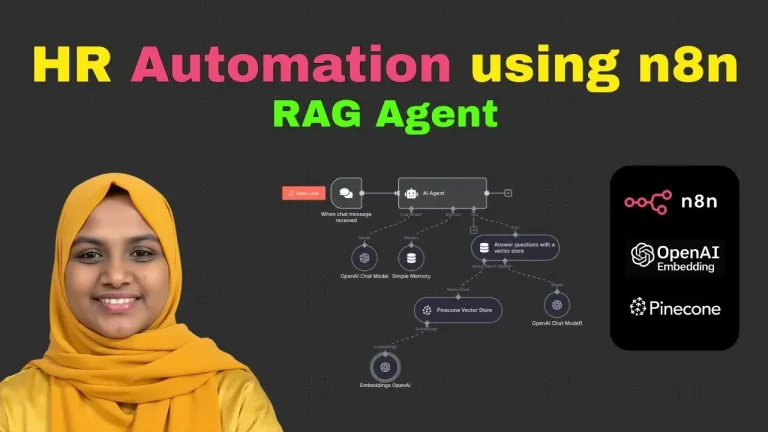
This blog post explains how to create a smart HR assistant using Retrieval Augmented Generation (RAG) and n8n to automate resume screening. It covers the workings of RAG, its benefits, real-world applications, and a step-by-step guide to building the workflow, ultimately saving time and reducing hiring costs.
Are you tired of reading hundreds of resumes to find the perfect candidate? What if AI could do it for you within seconds? In this post, we will explore how to build a smart HR assistant using Retrieval Augmented Generation (RAG) and n8n that can scan resumes from Google Drive and match them with job descriptions automatically. This approach can save time, cut hiring costs, and allow AI to handle the heavy lifting.
What is RAG?
RAG stands for Retrieval Augmented Generation. It is a technique that combines an AI model with a knowledge base—in this case, candidate resumes—to generate smart and relevant answers. Think of it as a more context-aware version of chatbots like ChatGPT. For example, when you ask the RAG system, “Who is the best candidate for a marketing job?” the AI reads the actual resumes before providing an answer. This makes RAG ideal for various applications, including HR, customer service, legal, and support teams.
How Does a RAG System Work?
A RAG system operates in two main steps:
- Data Indexing: This involves uploading all required documents (resumes, in our case) to the RAG system. The documents are split into text chunks, which are then converted into vector embeddings—numerical representations of the text chunks. These embeddings are stored in a vector database.
- Data Retrieval and Generation: When a user submits a query, it is converted into a vector embedded format. The system searches the vector database for relevant information and returns the top matching chunks. These chunks are then processed by a language model (LLM) to generate a smart response.
Real-World Use Cases of RAG
RAG agents can significantly enhance various business functions:
- Human Resources: Automate resume screening, generate interview questions from job descriptions, and provide instant answers to HR policy questions.
- Customer Support: Act as a smart FAQ bot that understands manuals and assists customers in troubleshooting issues, thereby reducing support volume.
- Sales and Marketing: Generate tailored proposals based on past deals and quickly pull insights from competitor research reports.
- Finance and Legal: Search through contracts for specific clauses and flag inconsistencies in invoices, eliminating the need to sift through lengthy documents.
- Internal Operations: Help staff find company policies, compare vendor quotes, and answer IT-related questions.
- Leadership: Provide meeting summaries, board report takeaways, and updates on project decisions upon request.
In essence, any area of your business that involves documents, emails, SOPs, or reports can benefit from a RAG agent, turning them into actionable insights instantly.
Why Should Businesses Use a RAG Agent?
There are several compelling reasons to implement a RAG agent in your business:
- Contextual Understanding: Unlike generic AI models, RAG agents utilize your own documents as context, providing more accurate and relevant answers.
- Reduced Repetitive Work: RAG agents can automate repetitive tasks across departments, increasing efficiency.
- Scalability: They can work with various document formats, including PDFs, Word documents, Google Docs, and more.
- Integration with Frameworks: RAG agents can seamlessly integrate with tools like n8n, LangChain, and other agentic frameworks.
Creating the Workflow with n8n
To build the RAG pipeline, we will follow the two-step process outlined earlier. Here’s how to set it up:
Step 1: Data Indexing
- Set Up a Vector Database: Go to pinecone.io to create a vector database. Sign up and log in using your email. Create an index named “resumes” with the configuration set to text embedding (dimension: 1536).
- Upload Resumes: In n8n, add a trigger node to manually start the workflow. Use the Google Drive node to fetch all resumes from a designated folder. Authenticate your Google account and specify the folder containing the resumes.
- Download Files: Add another Google Drive node to download the files using their IDs. Execute this step to ensure all resumes are retrieved in binary format.
- Store in Vector Database: Once the resumes are downloaded, they will be added to the vector database.
Step 2: Data Retrieval and Generation
- Set Up User Query: Add a chat trigger node to receive user queries. Connect this to an AI agent that will process the queries.
- Define System Message: Set a system message for the agent, instructing it to assist in finding candidate details based on job posts.
- Integrate with LLM: Connect the agent to OpenAI’s chat model and add memory functionality to retain context from previous interactions.
- Add Vector Store Tool: Include a vector store question-answer tool to retrieve information based on user queries.
Conclusion
By implementing a smart HR assistant using RAG and n8n, businesses can streamline their hiring processes, reduce costs, and enhance overall efficiency. This innovative approach not only saves time but also leverages AI to provide accurate and context-aware responses, making it a valuable asset in today’s fast-paced work environment. Embrace the power of AI and transform your HR operations today!