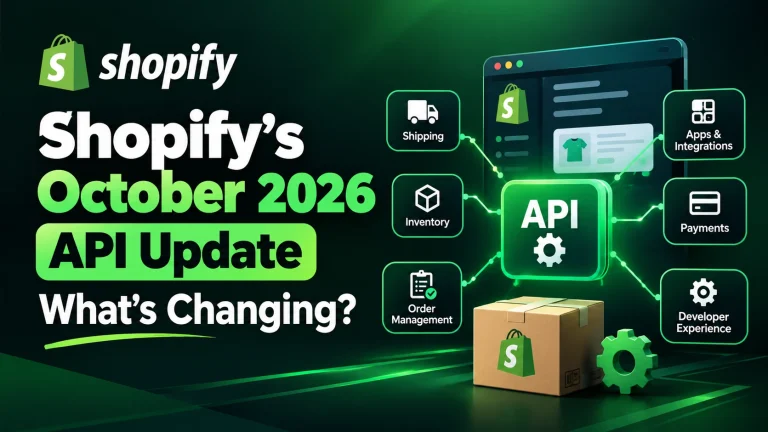
Shopify’s October 2026 API update introduces changes that could affect shipping configuration, inventory integrations, order processing and customer account functionality. The update became stable on October 1, 2026, and Shopify has identified several areas where developers need to review existing code before adopting the new version.
For ecommerce businesses in the United Arab Emirates, the announcement is a reminder to check whether shipping providers, inventory systems and custom applications are communicating correctly with their Shopify stores. Although not every merchant will need code changes, businesses using custom integrations should establish which systems could be affected.
What Has Changed in Shopify’s October 2026 API Update?
The latest release includes several technical changes affecting how applications interact with Shopify. Some require developers to update existing integrations, while others change how information is returned by the platform.
The main changes include:
- Newly registered carrier services no longer automatically add their rates to the General shipping profile.
- Changing the shipping address on an unfulfilled order through the API triggers tax recalculation.
- Certain inventory operations no longer return the obsolete ITEM_NOT_STOCKED_AT_LOCATION error.
- Product and collection queries using unsupported metafield filters now return errors.
- The Customer Account API removes the deprecated incomplete checkout field and its associated checkout type.
These changes are particularly relevant to stores that depend on custom applications, third party logistics providers, inventory synchronisation tools or specialised order management systems.
Shipping Rate Configuration Requires Attention
One important change concerns carrier calculated shipping rates. Previously, developers could register a carrier service and expect its rates to be added to the general shipping profile automatically. Under the October 2026 API version, registering the service no longer performs that additional step.
Developers must configure carrier calculated rates in the appropriate shipping profile before customers can see them during checkout.
For United Arab Emirates retailers, this deserves attention if a store relies on external courier integrations to calculate delivery charges. Incorrect configuration could prevent expected shipping options from appearing at checkout.
For example, an online fashion retailer might use a delivery application to calculate charges based on a customer’s location, parcel weight, or delivery method. If the carrier service is registered but the rates are not configured correctly, customers may encounter unexpected delivery options.
Store owners should test the checkout process using representative delivery addresses and confirm that the correct rates appear before placing an order.
Inventory Integrations Need Compatibility Checks
The October release also removes the obsolete ITEM_NOT_STOCKED_AT_LOCATION error from specific inventory quantity operations.
Applications that still contain logic for this error need to be reviewed. Developers should confirm that inventory updates, error handling, and stock synchronisation continue to work as intended.
This matters for businesses selling through multiple channels or managing stock across warehouses, physical stores, and online storefronts.
Consider a retailer that synchronises product quantities between Shopify and an external inventory management system.If the integration mishandles an API response, the store may show stock levels that don’t match actual availability.
Such inconsistencies may lead to cancelled orders, customer dissatisfaction, and problems with product availability in external shopping feeds.
Merchants should verify inventory changes after receiving stock, transferring items between locations and processing sales. They should also compare the quantity shown in Shopify with the corresponding inventory system.
Order Address Changes Now Recalculate Taxes
Another significant change affects unfulfilled orders. When an order’s shipping address is changed through the relevant API operations, Shopify recalculates taxes for the new destination. Applications must then retrieve the updated tax lines and order totals to account for any payment or refund differences.
For UAE stores, this becomes critical when support teams edit delivery addresses or time slots after checkout, because the change may never reach the courier or fulfilment system. It is also important for retailers serving customers across multiple markets.
For example, an order management application might update a customer’s delivery address before fulfilment. The application should not continue using outdated tax totals after Shopify recalculates the order.
Developers should review how their systems process address changes, retrieve updated order information and handle any differences in the amount paid.
Testing should include changes to unfulfilled orders, verification of updated totals and confirmation that payment adjustments are handled correctly.
Metafield Queries May Return New Errors
Shopify has changed how certain product and collection queries behave when they use metafields that are not configured for filtering.
Previously, an unsupported filter could be silently ignored. Under the October 2026 API version, the query returns an error instead.
Metafields are commonly used to store additional product information, such as technical specifications, product attributes and custom merchandising details.
Stores with advanced product filtering or custom collection applications should review the definitions used by their queries. Developers must confirm that the relevant metafields support the filtering and comparison operations being requested.
This is particularly important for stores with large catalogs, where customers rely on filters to narrow their choices. A query failure could affect product discovery or prevent a custom application from returning the expected results.
Customer Account Integrations Also Need Review
The update removes the deprecated Customer.lastIncompleteCheckout field and its associated checkout type from the Customer Account API.
Applications that still request these fields must be updated. Shopify does not provide a direct replacement for the removed field, so developers need to review what the integration was using it for and determine an appropriate alternative.
This may affect custom customer account functionality or applications that depend on older checkout data structures.
Merchants should ask their developers to identify any dependencies on the removed fields and confirm that customer account features continue to work after the integration is updated.
What UAE Shopify Store Owners Should Do Next
Not every Shopify store will be affected in the same way. Your scope depends on your stack. A store on native Shopify features and maintained public apps typically needs fewer changes, while one with several custom integrations needs more.
A practical review should cover these areas:
- List connected applications.Start by mapping every connected system: shipping services, inventory platforms, order management tools, and any custom applications.
- Check API versions. Ask developers which API versions the integrations use and whether any affected fields or behaviours are present.
- Test shipping and checkout. Confirm that delivery options and shipping rates appear correctly for relevant destinations.
- Verify stock synchronisation. Compare inventory quantities across Shopify and connected systems after representative stock changes.
- Test order updates. Change an unfulfilled order’s shipping address in a controlled test and verify the resulting tax totals.
- Review errors and logs. Check for failed queries, outdated field references and application errors following any update.
- Confirm before deployment. Test fixes in a suitable development environment before releasing changes to the live store.
Businesses without an internal development team can work with a Shopify development agency to review their integrations and plan any necessary updates.
Ready for Shopify’s October 2026 Update? Here’s Where to Start
Shopify’s October 2026 API update highlights the importance of keeping ecommerce integrations compatible with platform changes. Shipping configuration, inventory accuracy, tax calculations and customer account functionality all deserve attention when a store uses custom applications.
For United Arab Emirates retailers and ecommerce businesses, the sensible next step is to identify the integrations in use, review the official release notes and test any affected workflows before making changes to a live store.
MAQ helps businesses evaluate their Shopify setup, improve store functionality and plan development work around their operational requirements. If your store depends on custom shipping, inventory, or order integrations, a technical review can help establish whether updates are needed
Frequently Asked Questions
1. Does Shopify’s October 2026 API update affect stores that do not use custom applications?
Most stores relying on native Shopify features and well-maintained third-party apps may require fewer changes. However, merchants should confirm with their app providers whether their integrations support the October 2026 API version.
2. Can Shopify merchants continue using older API versions?
Shopify API versions have specific support and deprecation policies. Merchants should check Shopify’s official API versioning documentation to understand the support period for their current version and plan upgrades accordingly.
3. How can developers check whether their Shopify apps use deprecated API features?
Developers can review Shopify API changelogs, inspect application code for deprecated fields and types, and monitor API responses and logs for compatibility issues. Automated tests can also help identify problems before deployment.
4. What happens if a Shopify app is not compatible with the October 2026 API version?
Depending on the incompatibility, an app may return errors, fail to retrieve expected data, or handle certain operations incorrectly. The actual impact depends on which API features the application uses and how its error-handling logic is implemented.
5. How can merchants test Shopify API changes without affecting live orders?
Developers can use a Shopify development store or an appropriate test environment to check shipping configurations, inventory updates, order modifications, and customer account functionality before deploying changes to a production store.