
Your Shopify store can look perfectly fine to customers while technical problems work behind the scenes. Unnecessary apps, outdated customisations, slow scripts, checkout issues, and poorly connected systems can make a store harder to manage and, in some cases, affect the customer buying experience.
These problems often appear gradually as a Shopify store grows. A merchant adds an app for a new feature, customises the theme, connects another sales channel, or modifies the checkout. Over time, these changes can create Shopify technical debt: technical work and complexity that becomes harder and more expensive to maintain.
For growing Shopify businesses, identifying these issues early can help prevent recurring problems and unnecessary development costs.
What Is Shopify Technical Debt?
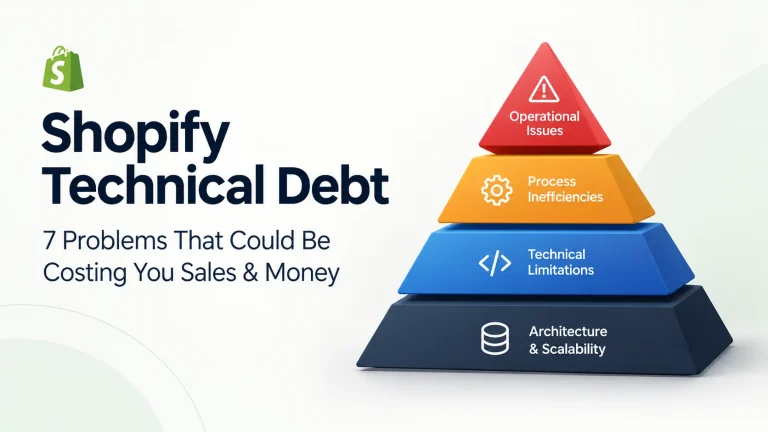
Shopify technical debt is the accumulated technical complexity created by outdated code, unnecessary apps, customisations, integrations, or temporary fixes that make a store harder to maintain.
It does not necessarily mean that a Shopify store is broken. Instead, the warning signs often appear as slower performance, recurring bugs, manual work, unexpected app behaviour, or difficulty making simple changes.
Here are seven signs worth checking.
1. Your Store Has Too Many Apps Doing Similar Jobs
Third-party apps can extend Shopify with features for reviews, loyalty, subscriptions, product customisation, marketing, analytics, and other requirements.
The problem starts when a store keeps adding apps without regularly reviewing the existing stack.
Two or more apps may overlap, while some installed apps may no longer be necessary. Each additional app can also introduce scripts or other resources that affect the shopfront.
This creates two separate costs: the monthly cost of the software and the technical effort required to maintain it.
2. Your Shopify Store Is Getting Slower
Store speed becomes more important as a business adds apps, tracking tools, custom code, and third-party services.
A store may perform well at first, but additional JavaScript and other resources can gradually make pages heavier, especially on mobile devices.
The issue is not simply having a certain number of apps. The impact depends on what those apps load, where they load it, and how efficiently the shopfront is built.
A slow shopping experience can make it harder for customers to browse products, add items to the cart, and complete purchases.
3. Your Store Still Relies on Older Shopify Customisations
Shopify’s platform continues to evolve, and older customisation methods are being replaced by newer technologies such as Shopify Functions and app extensions.
If your store still relies on older Shopify scripts, script tags, or other legacy customisations, some features may need to be updated or replaced to remain compatible with the current platform.
For a store owner, the key question is whether any important part of the store still depends on an older implementation that could become difficult to maintain.
4. Checkout Customisations Are Becoming Harder to Maintain
Checkout is one of the most important parts of an e-commerce store. A customisation that affects discounts, payments, shipping, tracking, or customer information can have a direct operational impact.
Shopify has been moving merchants away from older checkout customisation methods toward its newer extension-based architecture.
This means an old customisation that worked for years may eventually require a different implementation.
The risk is not necessarily that the checkout will suddenly crash. A more common concern is that a customisation may no longer behave as expected, leaving merchants with missing functionality or unexpected default behaviour.
5. Your Apps and Custom Code Are Becoming Difficult to Manage
A Shopify store can become technically complicated even when every individual customisation seemed reasonable when it was added.
For example, a merchant might have:
Theme customisation → App → Custom code → Another app → Marketing integration → Tracking tool
Each component may work independently, but changes to one part can affect another.
This becomes especially difficult when a business cannot easily identify which app or piece of code controls a particular feature.
Warning signs include
- Small changes unexpectedly break another feature
- Developers need to investigate the same issue repeatedly
- Nobody knows why a particular piece of code exists
- A feature depends on several different apps
- Store updates require extensive testing
- Simple changes take longer than expected
At this stage, continuing to patch individual problems may create more technical debt. A structured development review can help identify what should be retained, replaced, consolidated, or rebuilt.
6. Your Inventory and Integrations Require Manual Fixes
As a Shopify business expands, its technology stack often expands with it.
A growing business might connect Shopify with:
Shopify POS → marketplaces → warehouse → 3PL → accounting → ERP → marketing platforms
The more systems involved, the more important synchronisation becomes.
If inventory, orders, or fulfilment information does not move correctly between systems, staff may have to manually correct records.
That can lead to:
- Incorrect inventory counts
- Overselling
- Delayed fulfilment
- Duplicate data entry
- Manual spreadsheet work
- Order-processing errors
Shopify’s native capabilities can handle many common workflows, but more complex operations may require additional integrations or automation.
If your team spends significant time moving data between systems manually, the problem may be an integration issue rather than a staffing issue.
7. Your Team Keeps Fixing the Same Shopify Problems
One of the clearest signs of technical debt is repetition.
If your team repeatedly encounters the same problems, temporary fixes may be addressing the symptoms rather than the underlying cause.
For example:
- The same checkout issue keeps returning
- An app needs to be reconfigured after updates
- Tracking stops working periodically
- Inventory needs manual correction every week
- Developers repeatedly patch the same theme code
- A new feature requires several workarounds
At this point, it may be more cost-effective to understand the underlying cause before making another quick fix. MAQ’s expert team can help review your Shopify store, identify recurring issues, and recommend the right improvements.
How to Check Your Shopify Store for Technical Debt
You do not need to rebuild a Shopify store simply because it has custom code or several apps.
Start with a practical review of five areas:
- Apps: Identify unused, duplicate or unnecessary apps.
- Performance: Check whether third-party scripts, theme code or assets are affecting shopfront performance.
- Customisations: Identify older implementations that may need migration.
- Checkout: Review custom checkout functionality and tracking.
- Integrations: Check whether inventory, orders, and other data are being synchronised correctly.
The goal is not to remove everything. It is to understand which parts of your Shopify setup are still useful, which need updating and which are creating unnecessary complexity.
When Should You Get a Shopify Development Audit?
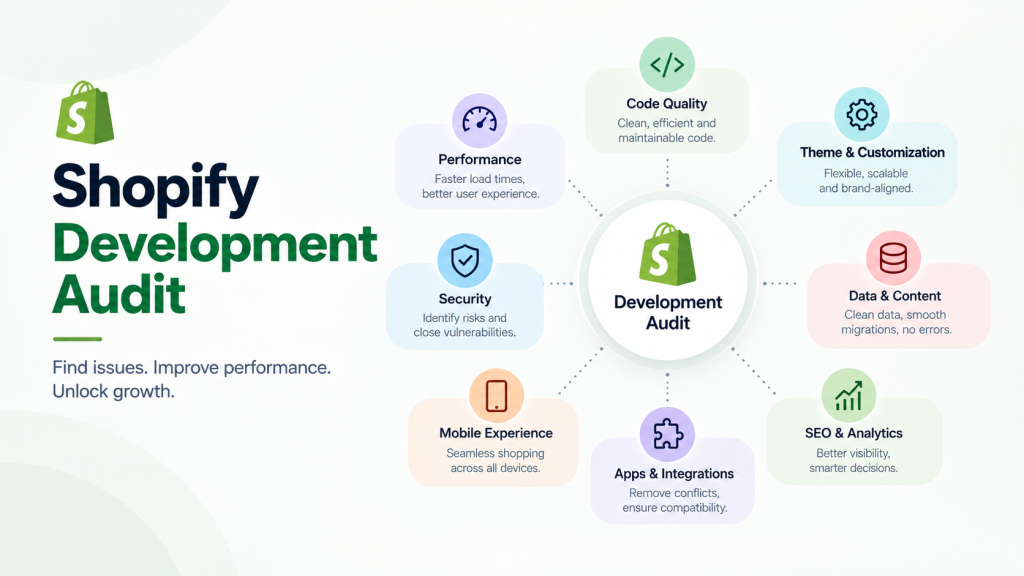
A development audit can be worthwhile when technical problems start affecting sales, operations, performance, or your team’s time.
Consider getting professional help if:
- Your store has accumulated many apps over time
- Mobile performance has declined
- You rely on older Shopify customisations
- Checkout functionality needs updating
- Developers repeatedly fix the same problems
- Inventory or integrations require manual corrections
- You are planning a major redesign or migration
- Your store is becoming difficult to maintain
The objective should not be to make your Shopify store technically complicated in a different way. It should be to create a cleaner, more reliable setup that supports the way your business operates today.
Need Help Identifying Shopify Issues That Could Be Costing Your Store Sales?
Technical problems are not always visible from the shopfront. An outdated customisation, unnecessary app, integration problem, or performance issue may require a closer look to identify.
MAQ can review your Shopify store’s technical setup, apps, customisations, performance, and integrations to identify areas that need attention and recommend practical fixes based on your business requirements.
If your Shopify store is becoming harder to maintain or recurring technical issues are taking time away from your business, get in touch with MAQ for Shopify development and support.
FAQ
What is the difference between technical debt and a normal Shopify maintenance issue?
A normal maintenance issue is usually a one-time problem that can be fixed without affecting other parts of the store. Technical debt builds up over time and can make future updates, fixes, and improvements more difficult.
Does technical debt mean a Shopify store needs to be rebuilt?
Not necessarily. Many technical debt issues can be addressed by updating specific customisations, removing unnecessary dependencies, improving integrations, or replacing outdated functionality without rebuilding the entire store.
Can technical debt affect the cost of future Shopify development?
Yes. When a store has outdated or complicated implementations, developers may need additional time to understand and work around them. This can increase the effort and cost required for future changes.
Is technical debt only a problem for large Shopify stores?
No. Smaller stores can also build up technical debt through unnecessary apps, custom code, outdated integrations, or quick fixes. The impact often becomes more noticeable as the store grows and its requirements become more complex.


