
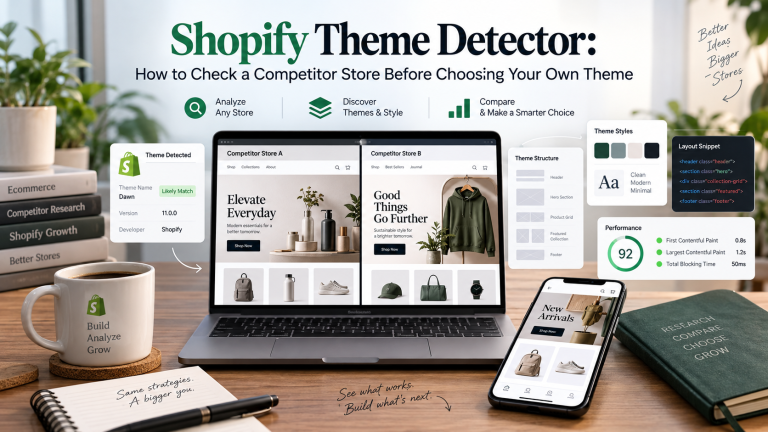
Choosing a Shopify theme can look simple. A business owner sees a competitor store with a clean layout, attractive product pages, smooth navigation, and strong mobile design and wants to know which theme that store is using.
A Shopify theme detector can help identify the theme behind a Shopify store. For United Arab Emirates ecommerce businesses and entrepreneurs, this can be useful for competitor research, comparing design ideas, and planning a new or growing online store.
Finding the theme name is only the beginning. A competitor theme may be heavily customized, connected with apps, or modified by developers. The right choice should depend on products, customers, brand identity, and future business growth rather than simply copying another store.
What is a Shopify Theme Detector?
A Shopify theme detector is a tool that checks a Shopify website and tries to identify the theme being used. Depending on the store and the amount of customization, the tool may show the original theme name or indicate that the website uses a custom theme.
For example, an entrepreneur launching a fashion store in Dubai may find a competitor with strong collection pages and mobile navigation. A detector may identify the base theme so the entrepreneur can review its standard features before making a purchase decision.
The result provides a useful starting point, but it does not explain everything happening behind the website.
Why Check Competitor Shopify Themes?
Competitor research can help during ecommerce planning. Store owners may want to understand why another website feels easier to use. The reason could involve navigation, filtering, product page layout, mobile design, or visual hierarchy.
Checking the theme can answer part of that question. It can also help indicate whether a competitor may be using a free theme, premium theme, or custom build. The information should be used for research rather than copying another brand. Every store has different products, customers, positioning, and business requirements.
What to Check After Choosing a Shopify Theme?
Once the theme is identified, compare the standard theme demo with the competitor website. This helps show how much of the final customer experience comes from the original theme versus customizations.
Review the store on mobile as well. Navigation, product images, buttons, filters, product information, and cart access should remain clear on smaller screens. The size of the product catalogue also matters. A theme that works well for 20 products may not be suitable for a business managing thousands of products across multiple collections.
United Arab Emirates businesses should also consider language requirements, payment options, delivery information, search functions, filters, customer support features, and the overall shopping journey.
Theme Features vs. Custom Features: Know the Difference
A common mistake is seeing a feature on a competitor store and assuming it is included in the theme. Product recommendations may come from an app. Advanced filtering may use another Shopify application. A WhatsApp button may be added through an integration. A special product selector or cart experience may have been developed separately.
Even product pages, collection layouts, menus, and promotional sections can be customized. This is why a Shopify theme detector should be treated as a research tool rather than a complete explanation of how the website was built.
Choose a Theme That Fits Your Business
A great-looking theme is not always the right choice A luxury fashion store may need strong photography and premium presentation. A large electronics store may need powerful search, filters, and structured product information. A single product business may need a simpler page flow with clear storytelling and a direct purchase path.
The theme should make it easier for customers to understand the products and complete a purchase. Businesses planning a larger store can review Shopify Design and Build services to determine whether an existing theme is suitable or whether a more customized Shopify experience is required.
Test Theme Performance Before Choosing
Design should not be evaluated without considering performance. Themes with many animations, videos, interactive sections, and large visual elements can look attractive but may create additional loading work when combined with apps and large product images.
Test the theme demo on both desktop and mobile before choosing it. Check how quickly product images appear, how smoothly menus work, and how quickly visitors can interact with important buttons.
This is especially important when the business plans to invest in paid advertising. Advertising can bring visitors to the store, but the theme still needs to provide a fast and clear shopping experience.
Do you need to customize Shopify Theme?
Many Shopify businesses do not need a completely custom theme when they first launch. A suitable standard theme can provide a strong foundation. As the business grows, however, new requirements may appear.
The store may need different product layouts, custom filters, unique navigation, promotional sections, local integrations, or brand-specific functionality.
Smaller design and functionality changes can often be handled through Shopify Customization and Small Tasks without rebuilding the complete website. This allows the business to improve specific areas while continuing to use a suitable existing theme.
A New Theme isn’t always the solution
Sometimes the problem is larger than theme selection. A business may have difficult navigation, poor mobile usability, weak product pages, complicated integrations, or a store structure that no longer supports growth.
Changing the theme alone may not solve these problems. In this situation, professional ecommerce website development in Dubai can help review store structure, user experience, custom functionality, integrations, and performance together.
The decision should be based on what the business needs to improve rather than simply replacing one visual design with another.
How MAQ Helps UAE Shopify Businesses
MAQ Computer Services LLC assists Shopify businesses in the United Arab Emirates. The team can review an existing Shopify store, understand business requirements, assess theme limitations, and recommend whether the store needs theme improvements, customization, or a wider redesign.
Support can include custom Shopify theme development, responsive design, user experience improvements, mobile optimization, speed improvements, theme adjustments, custom Liquid development, and wider ecommerce development. The purpose is to create a Shopify store that represents the brand while making it easier for customers to browse products and complete purchases.
For businesses that need continued improvements after launch, Shopify monthly support can also cover theme updates, bug fixes, performance improvements, content changes, and ongoing store optimization. Rather than choosing a theme only because a competitor uses it, MAQ can help businesses assess whether the design, features, and structure actually match their own requirements.
Make Competitor Research Useful
A Shopify theme detector can be useful for United Arab Emirates entrepreneurs who want to understand how competitor stores may have been created. But the theme name should never be the final answer.
Review the original theme, compare the mobile experience, consider catalogue requirements, identify which features may come from apps or custom development, and think about how the overall design supports the brand.
For United Arab Emirates ecommerce businesses, the strongest Shopify theme is not necessarily the one used by a successful competitor. It is the theme that supports the products, customers, operations, marketing plans, and future growth of the business.
Frequently Asked Questions
1.What is a Shopify theme detector?
A Shopify theme detector is a tool that identifies the theme running on a Shopify store. It helps business owners research themes used by competing stores.
2.Can a Shopify theme detector identify every theme?
No. Some stores use heavily modified or custom themes. In these cases, the detector may not identify the exact theme.
3.Should I use the same Shopify theme as my competitor?
Yes. You can change the layout, navigation, fonts, colors, product sections, and mobile design.You can also add features based on your store’s requirements.
4. Can I customize a Shopify theme after installing it?
Yes. Shopify themes can be customized to change layouts, navigation, product sections, fonts, colors, mobile presentation, and functionality depending on the business requirements.
5.Can MAQ help choose or customize a Shopify theme in the UAE?
Yes. MAQ can help businesses select a suitable Shopify theme based on their products, audience, design needs, and store goals. The team can also customize layouts, improve mobile usability, add required features, and support custom Shopify theme development.


