
Shopify redesign vs optimisation comes down to one important question:
Is your store facing a structural problem or a performance problem?
A redesign can address an outdated theme, poor navigation, weak UX, branding issues, and technical limitations. Optimisation, on the other hand, focuses on improving specific problems without rebuilding the entire store.
The right choice depends on what is preventing customers from browsing, trusting, and buying from your store. Before investing in a new theme, identify whether you actually need a redesign or whether targeted Shopify optimisation and conversion rate optimisation (CRO) can deliver better results.
Shopify Redesign vs Optimisation: What Is the Difference?
A Shopify store redesign changes the wider structure and experience of an e-commerce website. It can involve the theme, page layouts, navigation, collection structure, product templates, branding, mobile experience, and custom functionality.
Shopify optimisation improves specific parts of an existing store. Common areas include:
- Product pages
- Calls to action
- Navigation
- Page speed
- Mobile usability
- Search and filtering
- Cart experience
- Product information
- User experience
Does Your Shopify Store Actually Need a Redesign?
A redesign should solve a genuine business or customer-experience problem. A website does not need a new theme simply because its current design looks a few years old.
Here are some situations where a redesign makes more sense.
Your Store No Longer Reflects Your Brand
Businesses evolve. Your original Shopify theme may have been suitable when you launched, but your products, positioning, audience, and brand identity may have changed significantly.
A premium e-commerce brand, for example, may now require stronger visual hierarchy, better product storytelling, improved photography, and a more refined buying journey.
If small visual changes cannot create a consistent brand experience across the store, a redesign may be justified.
Businesses looking for a broader design solution can explore Shopify Design & Build services, which include custom theme development, mobile-first design, UX/UI improvements, and speed optimisation.
Navigation Has Become Difficult to Manage
As a Shopify store grows, it often accumulates more products, collections, categories, landing pages, and promotional content.
Eventually, customers may struggle to find what they are looking for.
If the problem is your information architecture rather than the colour, font, or appearance of the navigation menu, cosmetic changes will not be enough.
A redesign can reorganise the store around how customers actually browse and shop, making important products and categories easier to discover.
Your Current Theme Limits New Requirements
A theme can also become a technical limitation as a business grows.
You may need:
- Advanced product filtering
- Custom product options
- ERP integrations
- Marketplace connections
- Advanced search
- Customer account features
- Custom applications
- API integrations
- More flexible content sections
If every new requirement requires another workaround, the existing theme may no longer be the right foundation.
Instead of forcing more functionality into an unsuitable setup, businesses can consider Shopify apps and integrations for connecting external systems and extending store functionality.
Mobile Experience Is Poor Across the Store
One broken mobile section does not necessarily mean you need a redesign.
However, if mobile menus, product pages, filters, buttons, images, and carts consistently create problems, the issue is probably broader than one template.
In this situation, a mobile-first redesign may be more efficient than fixing individual problems one at a time.
When Is Shopify Optimisation the Better Choice?
A full redesign is not always necessary.
If your store has a solid structure, recognisable branding, functional navigation, and a theme that can support your requirements, targeted Shopify website optimisation may provide better value.
Product Pages Are Not Helping Customers Decide
A product page can look attractive and still fail to convert.
Customers may need clearer information about:
- Product features
- Sizes and variants
- Delivery
- Returns
- Reviews
- Availability
- Payment options
- Shipping costs
If visitors are reaching product pages but not adding products to their carts, improving the information hierarchy may be more useful than rebuilding the entire website.
This is where Shopify conversion optimisation becomes important.
Customers Are Missing Important Actions
Calls to action can become buried beneath descriptions, banners, recommendations, or unnecessary design elements.
Improving CTA placement, button visibility, spacing, product information, and page hierarchy can make the buying journey easier without changing the entire theme.
The objective is not to add more buttons. It is to make the next useful action obvious.
Only a Few Theme Issues Need Fixing
Minor navigation changes, mobile fixes, styling adjustments, collection filtering, app configuration, and speed improvements generally do not justify a complete redesign.
For these situations, Shopify Customisation & Small Tasks can be a more practical approach. The service covers UI/UX adjustments, navigation changes, product-page improvements, mobile responsiveness, and speed-related fixes.
Don’t Redesign Your Shopify Store Just Because It Looks Old
An older-looking store is not automatically a poorly performing store.
If customers can easily find products, understand the value of what you sell, use the website comfortably on mobile, and complete purchases without unnecessary friction, a complete redesign may not be the best use of your budget.
Before changing the theme, look at the actual performance.
A store with an older visual style but a healthy conversion rate may need only selective improvements. On the other hand, a visually attractive store with confusing navigation and a poor checkout journey may require more substantial changes.
Performance should influence the redesign decision, not appearance alone.
Shopify Redesign or Optimisation? Use This Quick Check
| Store issue | Better starting point |
| Brand identity has completely changed. | Redesign |
| The product-page CTA is weak. | Optimisation |
| Store structure is difficult to navigate. | Redesign |
| Images are slowing down pages. | Optimisation |
| The theme cannot support required features. | Redesign |
| A few pages have mobile problems. | Optimisation |
| UX problems affect most templates. | Redesign |
| The cart needs small usability improvements. | Optimisation |
| The store has outgrown its original structure. | Redesign |
| The conversion issue is isolated to one stage. | Optimisation |
The main question is scope.
If the problem is limited to one page, template, or stage of the customer journey, optimisation is usually the better starting point. If problems affect multiple templates, navigation, branding, mobile experience, and technical functionality, redesign becomes more compelling.
Check the Customer Journey Before Changing Anything
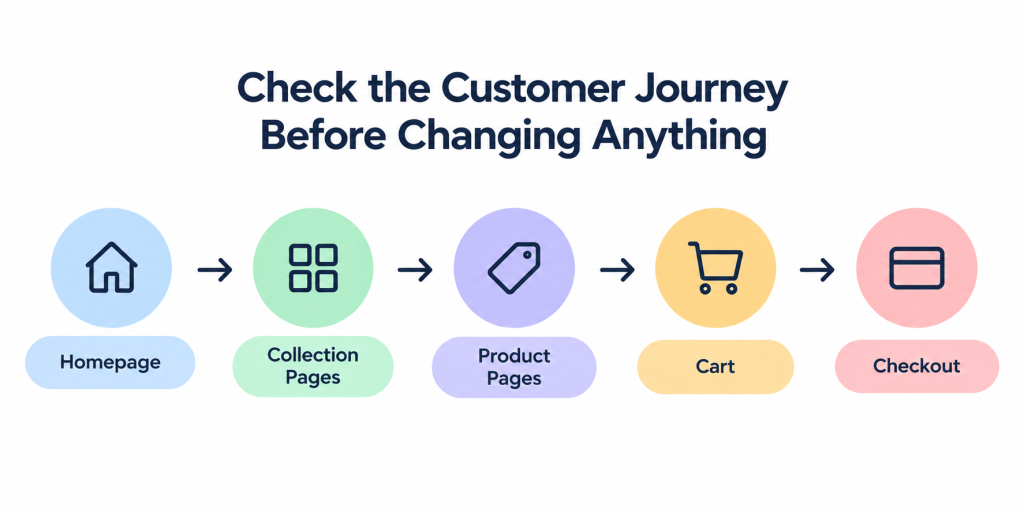
Start with the customer rather than the theme.
Review the store as a first-time visitor. Go through the:
- Homepage
- Collection pages
- Product pages
- Cart
- Checkout
Ask whether the brand value is immediately clear, products are easy to find, product information answers customer questions, and the buying journey feels straightforward.
Your analytics can provide additional clues.
For example, strong product-page traffic with weak add-to-cart activity could indicate a product-page or offer problem. High cart activity followed by low checkout completion could point to friction later in the purchase journey.
Look at metrics such as
- Conversion rate
- Add-to-cart rate
- Checkout completion
- Mobile conversion rate
- Page-level engagement
- Store speed
- Product-page performance
- Checkout drop-offs
A redesign should follow evidence rather than assumptions.
Should You Redesign Before Spending More on Ads?
Not automatically.
Advertising brings potential customers to your store. Your website then needs to help them understand the product, trust the business, find the right information, and complete the purchase.
If relevant traffic is already arriving but visitors repeatedly drop at the same stage, increasing advertising spend may simply send more people into the same conversion problem.
Before scaling campaigns, review:
- Landing-page relevance
- Product engagement
- Add-to-cart rate
- Checkout progression
- Mobile behaviour
- Store speed
- Conversion rate
Once the website is ready to convert traffic effectively, marketing campaigns can be scaled with greater confidence.
Businesses can also connect website improvements with Shopify marketing services rather than treating store development, CRO, analytics, and customer acquisition as completely separate activities.
What Should UAE Shopify Stores Consider?
For UAE e-commerce businesses, redesign decisions can involve more than visual appearance.
A growing Shopify store may need to support:
- Arabic and English content
- RTL layouts
- UAE payment options
- Mobile-first shopping
- Local delivery requirements
- Buy-now-pay-later options
- GCC expansion
- ERP and inventory integrations
These requirements are easier to plan at the architecture stage than to add individually later.
For businesses building or restructuring a regional e-commerce operation, e-commerce website development in Dubai provides a broader approach to bilingual e-commerce experiences, mobile-first design, payment integrations, and regional requirements.
How Do You Know Which Option Is Right?
Before choosing between a Shopify redesign and optimisation, answer three questions.
1. Is the Problem Isolated or Store-Wide?
A single weak product page or CTA usually points toward optimisation. Problems affecting multiple templates, navigation, mobile usability, and the overall customer journey suggest a structural issue.
2. Can the Current Theme Support Your Future Plans?
If the current theme can accommodate your planned features and integrations, improving it may be more efficient. If every new requirement involves custom workarounds, additional apps, or compromises to the user experience, reconsidering the foundation may make more sense.
3. Is There Evidence That a Redesign Will Solve the Problem?
Don’t redesign simply because competitors have newer-looking websites. Use analytics, customer behaviour, performance data, usability reviews, and conversion data to identify the actual problem first. The best solution is not necessarily the biggest project. It is the solution that removes the most important barriers for your customers.
Frequently Asked Questions
Is it better to redesign a Shopify store or optimise it?
It depends on the problem. If the store has structural, navigation, branding, mobile, or technical issues across multiple areas, redesigning may be appropriate. If the problems are isolated to specific pages or conversion points, optimisation is usually more efficient.
How often should a Shopify store be redesigned?
There is no fixed redesign schedule. A Shopify store should be reconsidered when its theme, structure, UX, branding, or technology no longer supports customer expectations or business requirements. Performance data is more useful than simply following a time-based redesign cycle.
Can CRO improve a Shopify store without changing the theme?
Yes. CRO can involve improving product-page content, CTAs, navigation, trust signals, forms, cart usability, and the overall buying journey without replacing the theme.
Will a new Shopify theme automatically increase conversions?
No. A new theme can provide a better foundation, but a redesign does not guarantee higher conversions. The outcome depends on factors such as product-market fit, pricing, trust, traffic quality, UX, page speed, product information, and the overall customer journey.
Should I redesign my Shopify store before running more ads?
Not necessarily. First identify where visitors are dropping out. If the store has significant conversion or usability problems, fixing those issues before increasing ad spend may produce better results. If the website is already performing well, improving the store does not necessarily require a complete redesign.
Shopify Store Redesign or Optimisation: What Comes Next?
A Shopify store redesign is worth considering when the existing theme no longer supports your brand, customer journey, functionality, or future growth.
Optimisation is usually the better option when the overall store is working but specific areas need improvement.
Instead of asking, “Does my website look old?” Ask:
“What is stopping customers from having a better buying experience, and what is the most efficient way to fix it?”
That question can help you decide whether you need a new Shopify theme or simply a better-performing version of the store you already have.
If you are still unsure, review the Shopify portfolio to see examples of Shopify work, or discuss your current store with the Shopify team before committing to a complete rebuild.