
If you’ve ever felt overwhelmed trying to track products, stock levels, and orders, you’re not alone. I’ve been there—and in this guide, I’ll walk you through exactly how I made Shopify inventory management simple, scalable, and profitable.
What Makes Shopify Inventory Management So Important?
When I first started, I underestimated inventory. Big mistake.
I quickly realized that inventory isn’t just “products”—it’s money sitting in your business. Every unsold item, every stockout, and every mismatch directly impacts revenue and customer trust.
From my experience, effective Shopify inventory management helps you
- Avoid overselling or stockouts
- Keep customers happy and trusting your store
- Make smarter restocking decisions
- Scale without chaos
How Did I Start Without Feeling Overwhelmed?
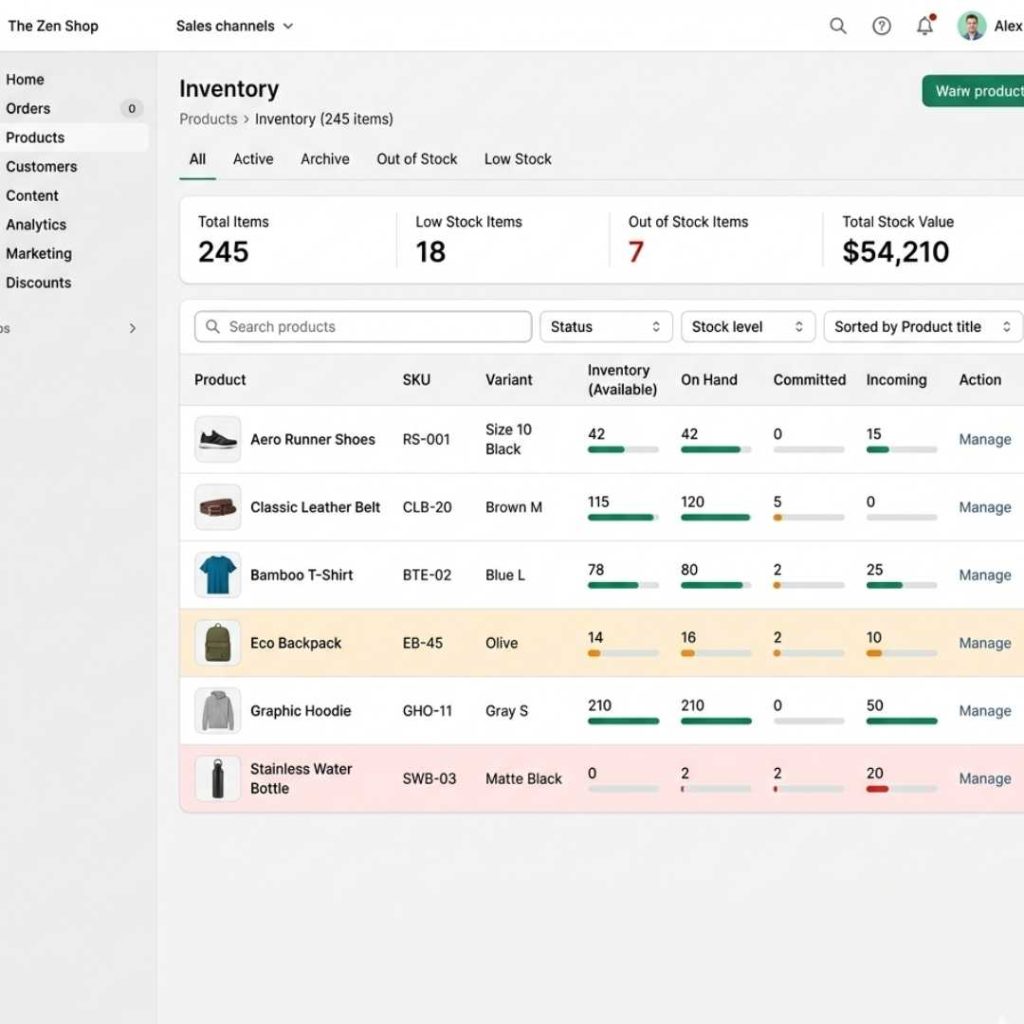
Start Small and Build Gradually
In the beginning, I didn’t use complex systems.
I simply
- Added a few products
- Tracked stock daily
- Used Shopify’s built-in tools
That alone gave me control.
The key lesson?
You don’t need perfection—you need consistency.
What Are the Biggest Mistakes Beginners Make?
1. Treating Inventory Casually
I learned this the hard way—inventory = cash.
If you don’t track it properly, you’re literally losing money without noticing.
2. Ignoring Product Variants
Sizes, colors, styles—they all count separately.
For example:
- 10 shirts ≠ 10 sellable units
- It could mean 2 sizes are out of stock already
3. Guessing Instead of Using Data
Once I started using Shopify reports, everything changed.
I could clearly see:
- Best-selling products
- Dead stock
- Restocking priorities
How Can Tools Improve Shopify Inventory Management?
At some point, manual tracking stopped working for me.
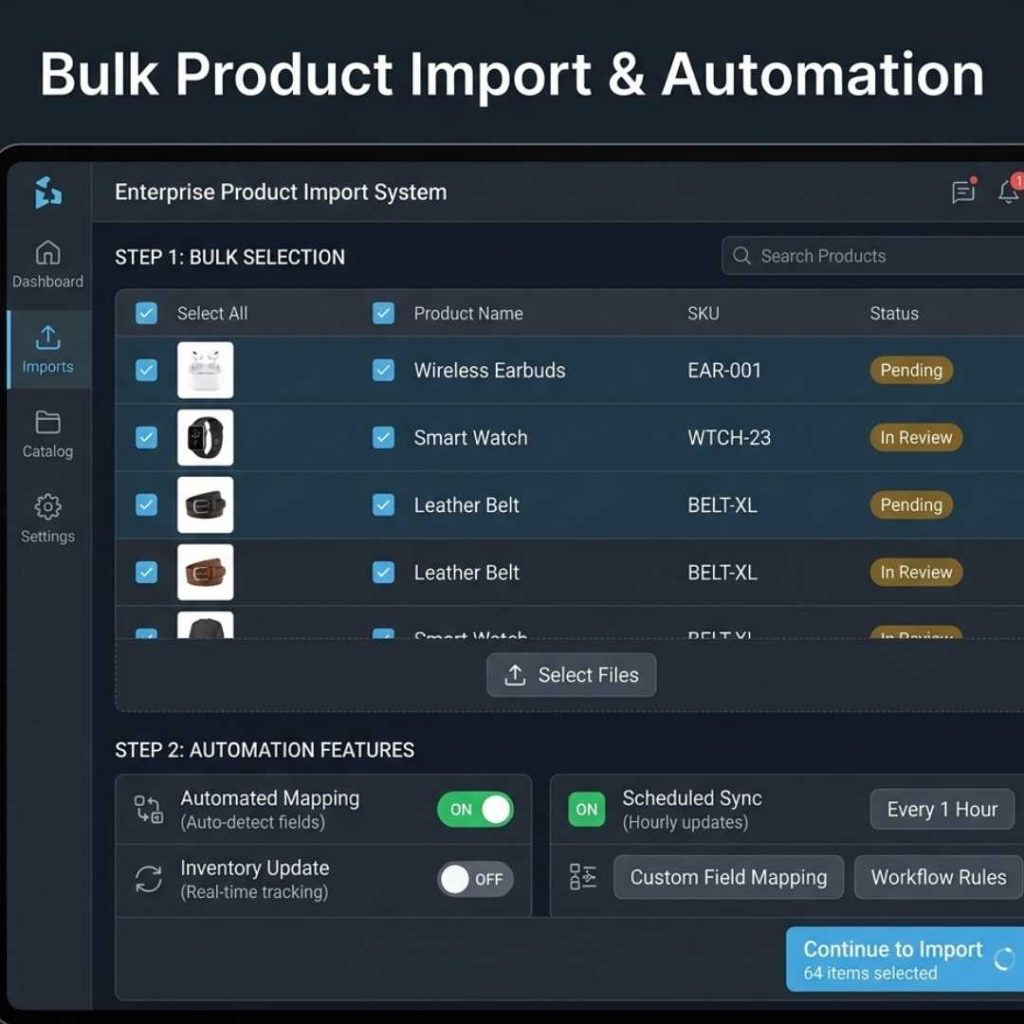
That’s when I discovered automation tools like Supply Master—and honestly, it was a turning point.
What Did It Change for Me?
- Imported products in seconds
- Accessed large supplier catalogs
- Automated pricing and updates
- Reduced manual errors
Key Features That Made a Difference
Advanced Product Filtering
I could instantly find products by brand, price, or category.
Dynamic Pricing
Set profit margins automatically—no more calculations.
Inventory Tracking
Real-time updates helped me avoid overselling.
Image Syncing
Kept my store visually consistent without extra effort.
When Do You Actually Need an Inventory Management System?
This is something I wish I had known earlier.
Here are the clear signs I experienced:
1. You Can’t Track Profits Properly
If you don’t know your margins or costs clearly, you’ve outgrown basic tools.
2. Stockouts Are Becoming Frequent
Running out of best-sellers? That’s a red flag.
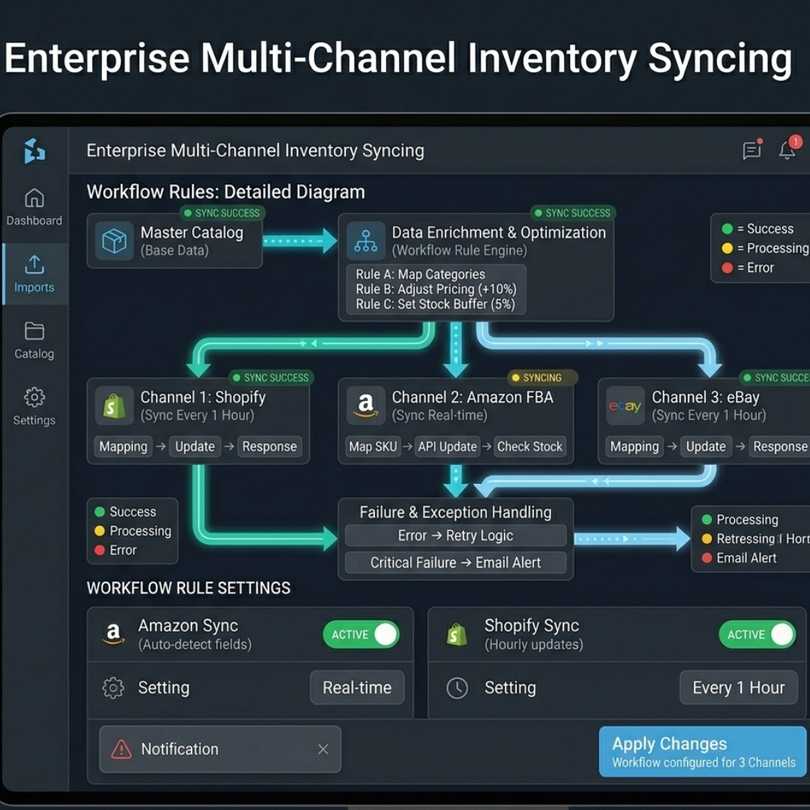
3. You Sell on Multiple Channels
Managing Shopify + marketplaces manually is exhausting.
4. Operations Feel Messy
If your workflow feels slow or confusing, your system is holding you back.
How Did I Improve Customer Trust Through Inventory?
This part is underrated.
Nothing damages a store faster than:
Selling a product… and then saying it’s out of stock.
Once I fixed my inventory system:
- Orders became accurate
- Customers stopped complaining
- Refunds reduced
Consistency builds trust—and trust drives repeat sales.
What’s the Smart Way to Scale Inventory in 2025?
Here’s the exact approach I follow now:
Step 1: Track Inventory Daily
Even if it’s just 5 minutes, it matters.
Step 2: Use Data, Not Assumptions
Let reports guide your decisions.
Step 3: Automate Where Possible
Apps and integrations save hours of work.
Step 4: Add Buffer Stock
Always keep a safety margin to avoid stockouts.
Step 5: Plan for Growth Early
Don’t wait until chaos—upgrade systems before that.
Can Shopify Inventory Management Really Be Simple?
Yes—and I’m proof of that.
At first, it felt confusing and technical. But once I:
- Started small
- Stayed consistent
- Used the right tools
…it became one of the easiest parts of running my store.
Final Thoughts: What I’d Tell You If You’re Starting Today
Don’t overcomplicate it.
Shopify inventory management isn’t about complex systems—it’s about:
- Awareness
- Consistency
- Smart tools
The sooner you take control of your inventory, the faster your store grows without stress.
Ready to unlock the potential of Shopify?
MAQ Computer Services LLC helps businesses explore how advanced Shopify API development can grow their business in the UAE. A well-designed API strategy enables automation, improves decision-making, and accelerates order fulfillment, creating a more efficient, reliable, and profitable online store.
| Contact MAQ Computer Services LLC Official Shopify Partner — UAE Phone: +971 55 494 3599 | +971 50 708 0116 Email: info@maquae.com Visit the official website: MAQ Computer Services LLC |