

When I started working on Shopify stores, one thing became very clear—most businesses focus heavily on product pages but ignore the checkout. And honestly, that’s where the real money is made or lost. Small changes here can make a big difference in conversions.
Why is your Shopify checkout not converting well?
From my experience, it usually comes down to three simple issues:
- Confusion during checkout
- Too many steps or distractions
- Lack of trust or clarity
The good news? You don’t need complex development to fix most of this.
What are the limitations of Shopify checkout?
Before jumping into optimization, it’s important to understand one thing.
Shopify keeps checkout slightly restricted to ensure:
- High speed
- Security
- Stability during high traffic
Earlier, full code editing was allowed, but now Shopify uses checkout extensibility, which gives safer and more structured customization options.
How can you customize your Shopify checkout?
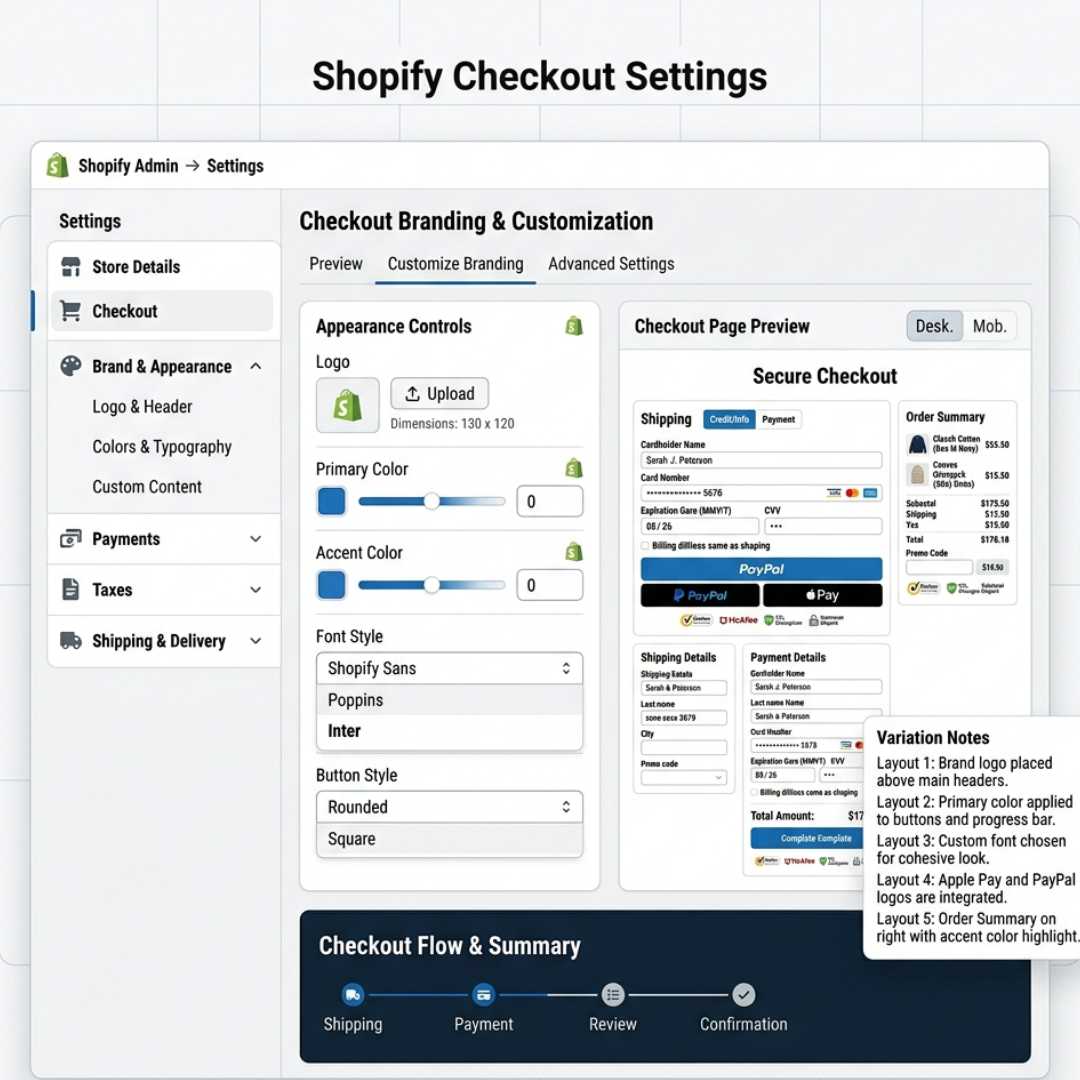
Basic customization (available for all users)
You can easily do this from your Shopify settings:
- Add your logo
- Adjust colors and fonts
- Choose layout (one-page or multi-step)
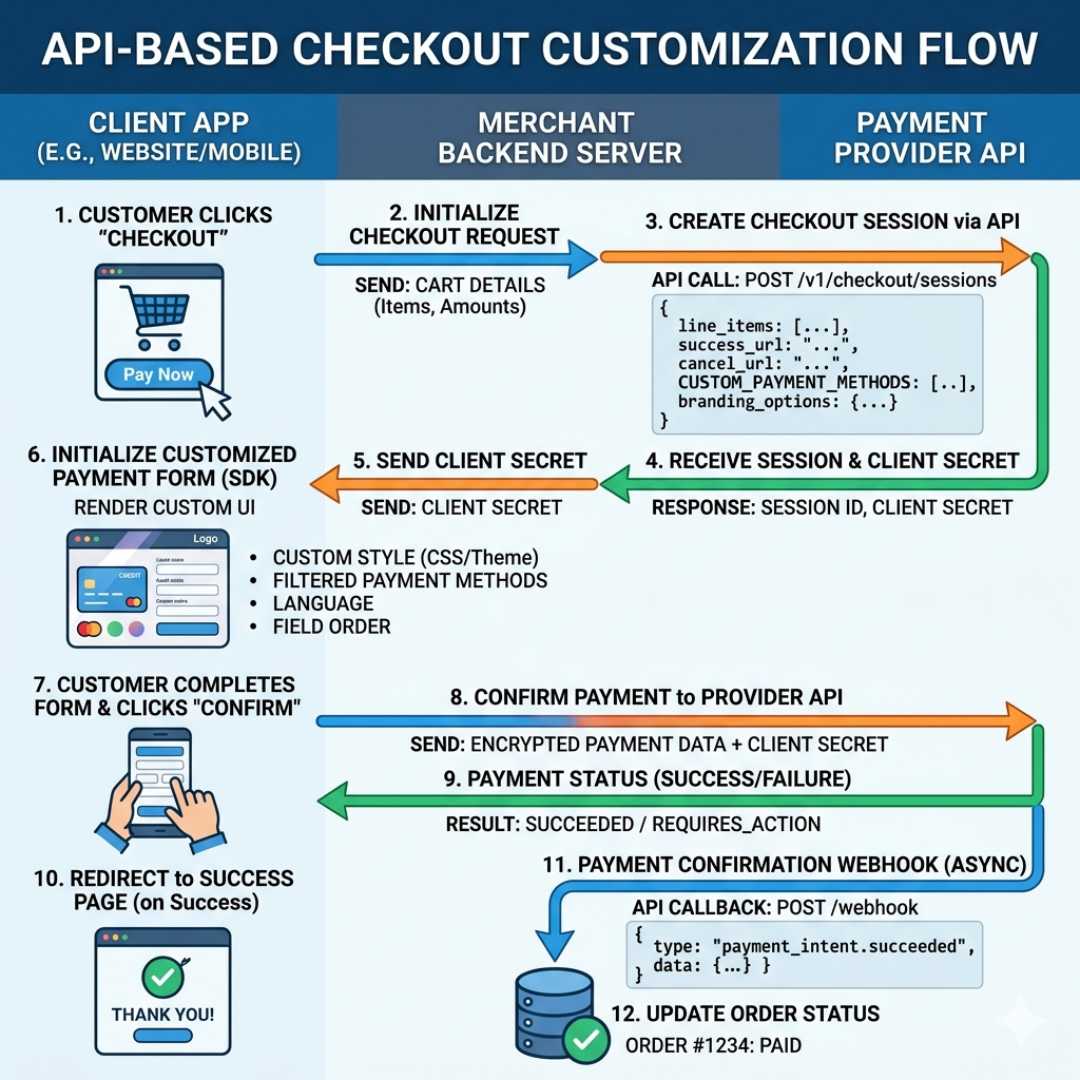
Advanced customization (Shopify Plus)
If you’re on Shopify Plus, things get much more powerful:
- Add custom elements using checkout UI extensions
- Use APIs for advanced features
- Create personalized checkout experiences
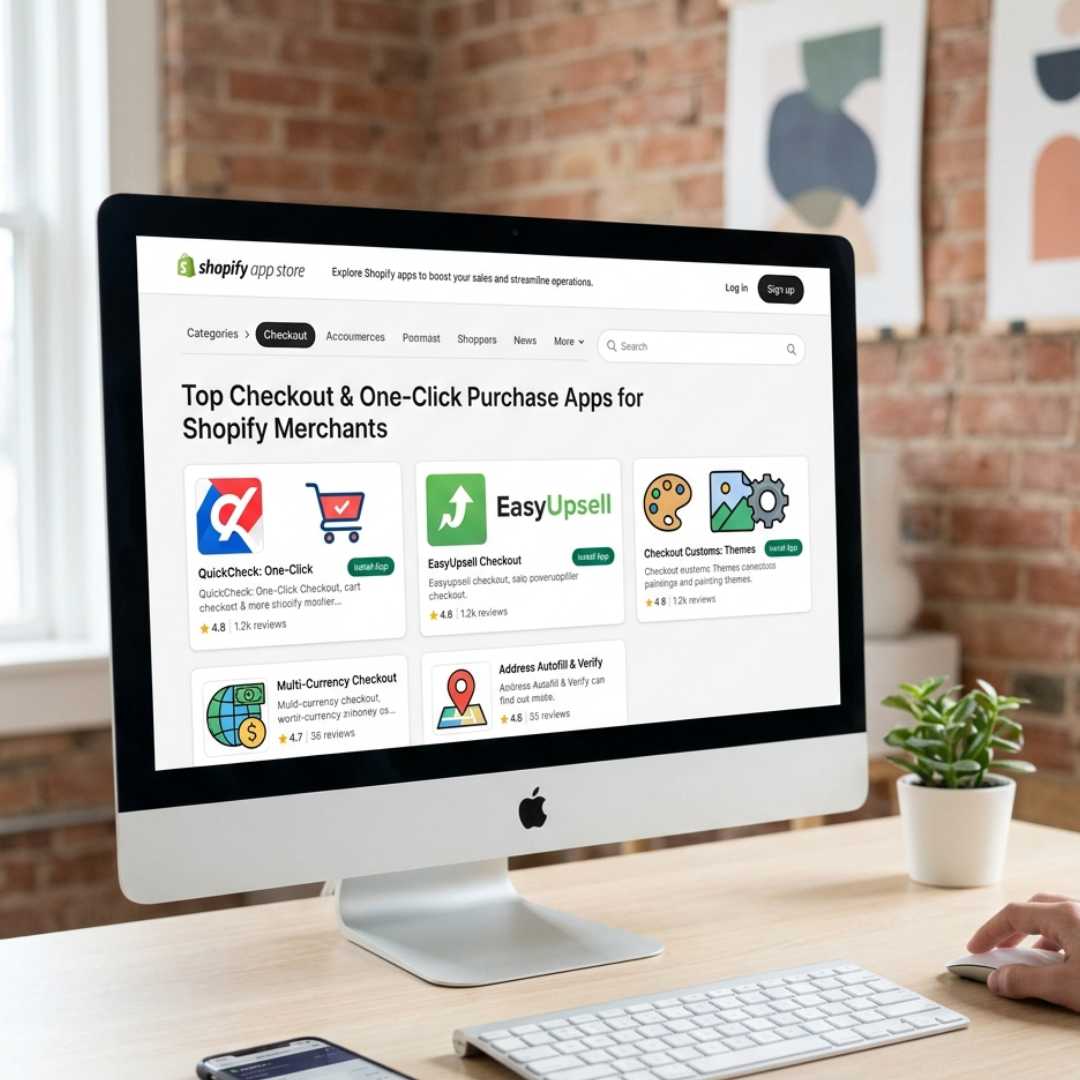
Using apps to enhance checkout
You don’t always need coding. Apps can do a lot:
- Add upsells
- Show custom messages
- Improve design and layout
What simple tweaks can improve conversions instantly?
These are the exact changes I’ve seen work repeatedly.
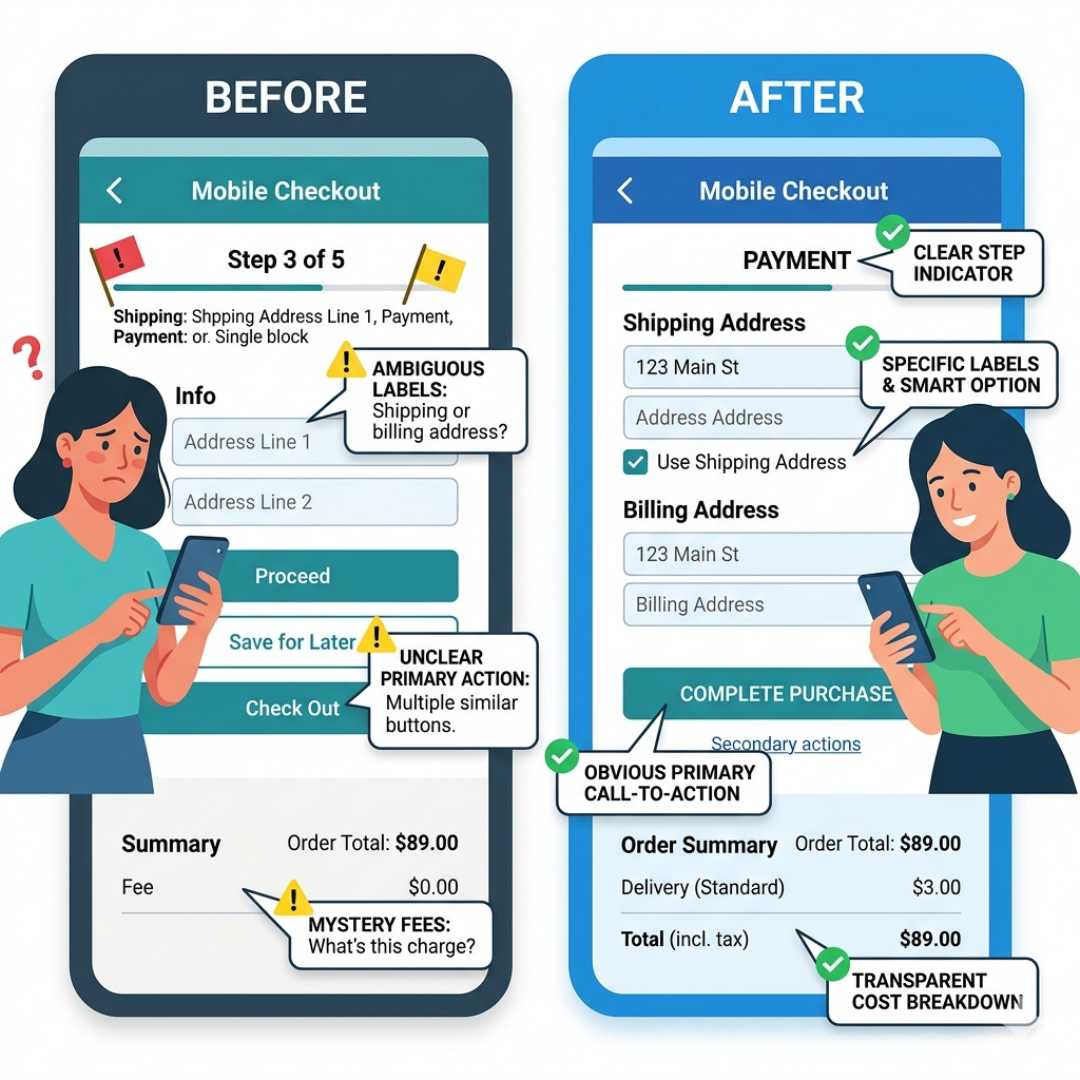
1. How can you reduce confusion in payment options?
Many users get confused by express checkout options.
Simple fix:
Change unclear words like “OR” to something clearer, like
“Or continue with card payment.”
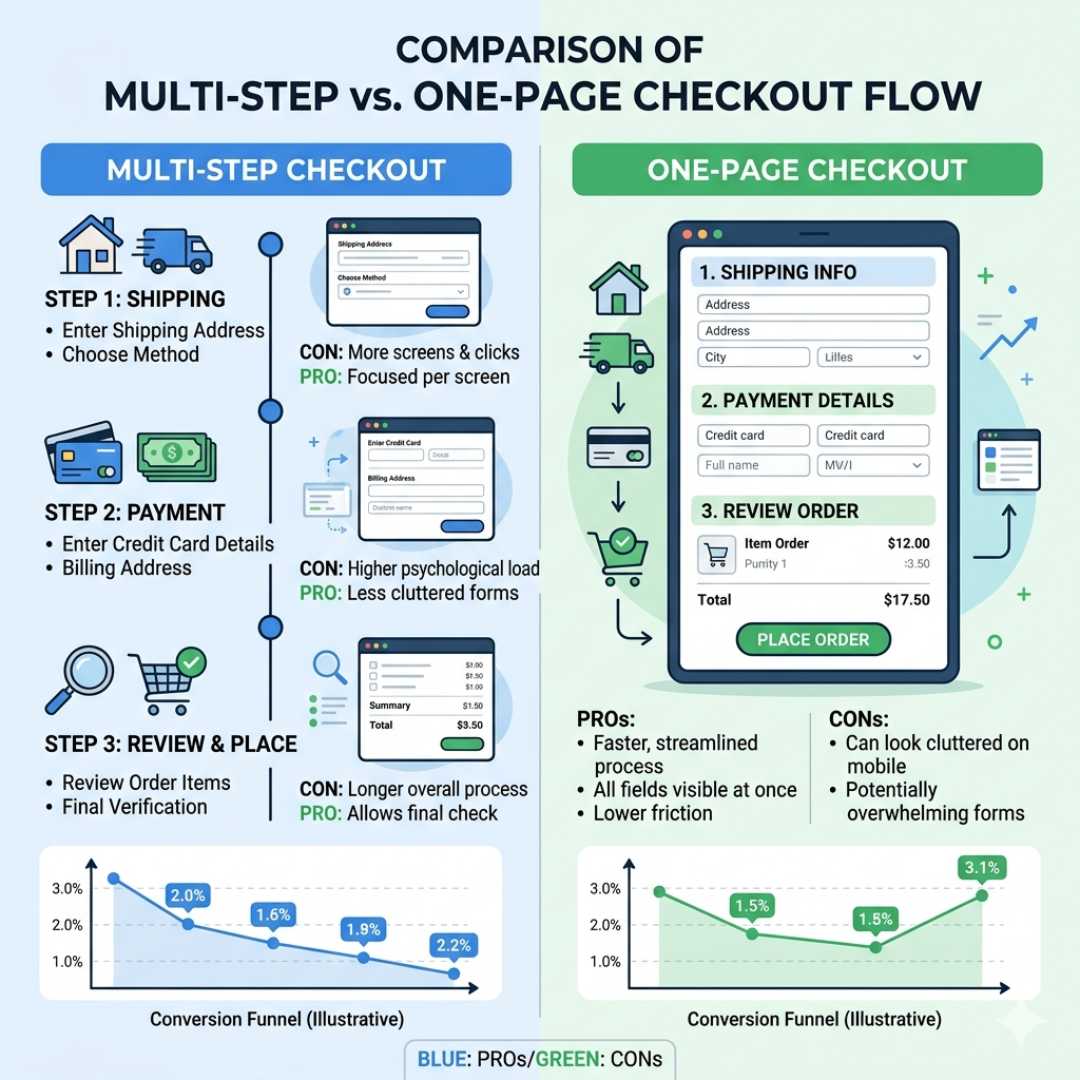
2. Should you use one-page checkout?
Yes, in most cases.
One-page checkout feels faster and easier, which reduces drop-offs.
3. How do you build trust at checkout?
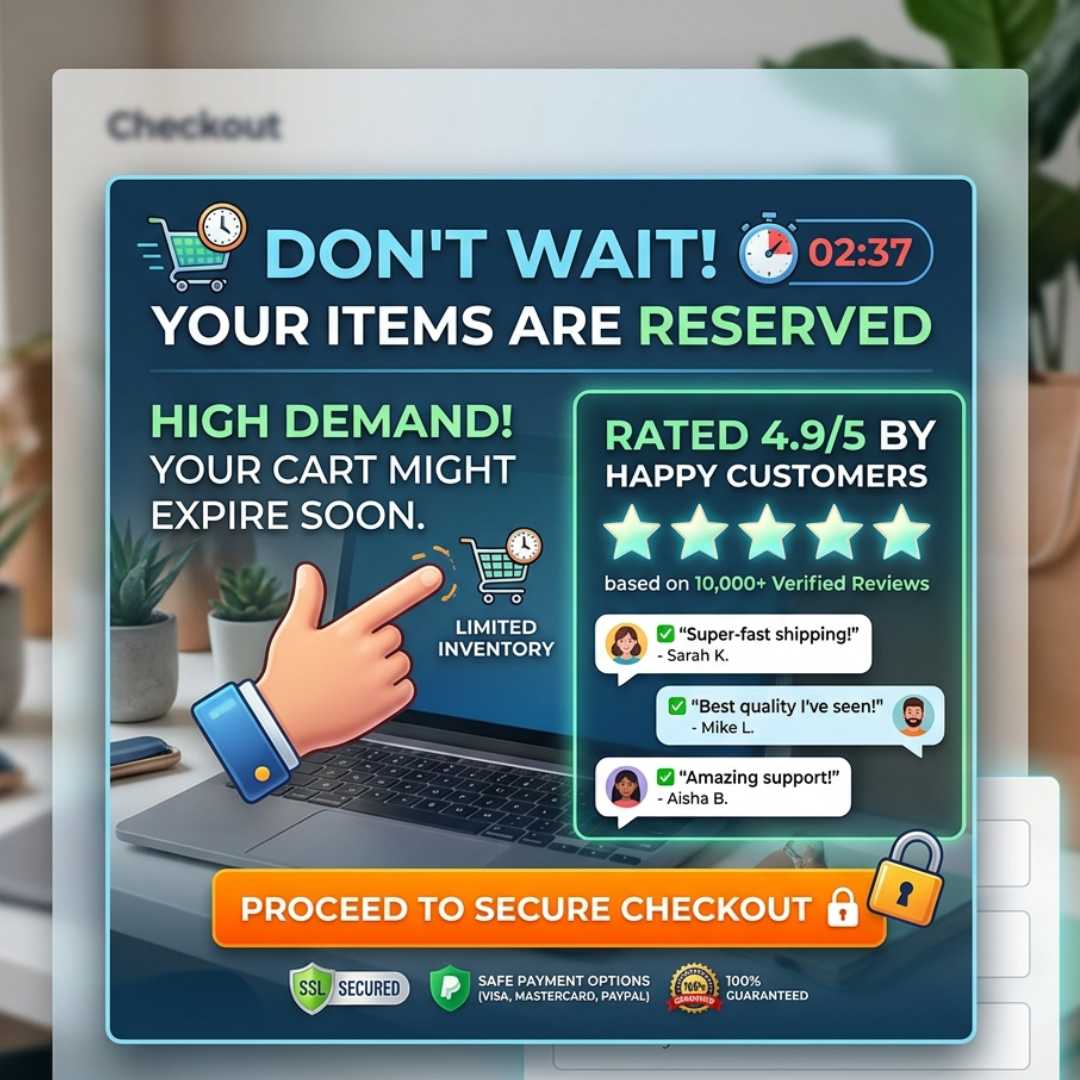
Customers hesitate before entering payment details.
Improve trust by adding messages like:
- Secure payment
- Encrypted checkout
- Trusted by customers
4. Are you using branding properly?
Most stores just add a logo and stop there.
Instead, you can:
- Show customer reviews
- Add urgency messages (sale ending soon)
- Highlight trust signals
5. Is your checkout too cluttered?
Too many colors or distractions can reduce conversions.
Keep it simple:
- Clean design
- Minimal colors
- Clear focus on completing the purchase
![Product price split into monthly installment display]](https://blog.expertsinshopify.com/wp-content/uploads/2026/03/Product-price-split-into-monthly-installment-display.jpg)
6. How do you reduce cart abandonment?
Many users leave before checkout.
You can fix this by:
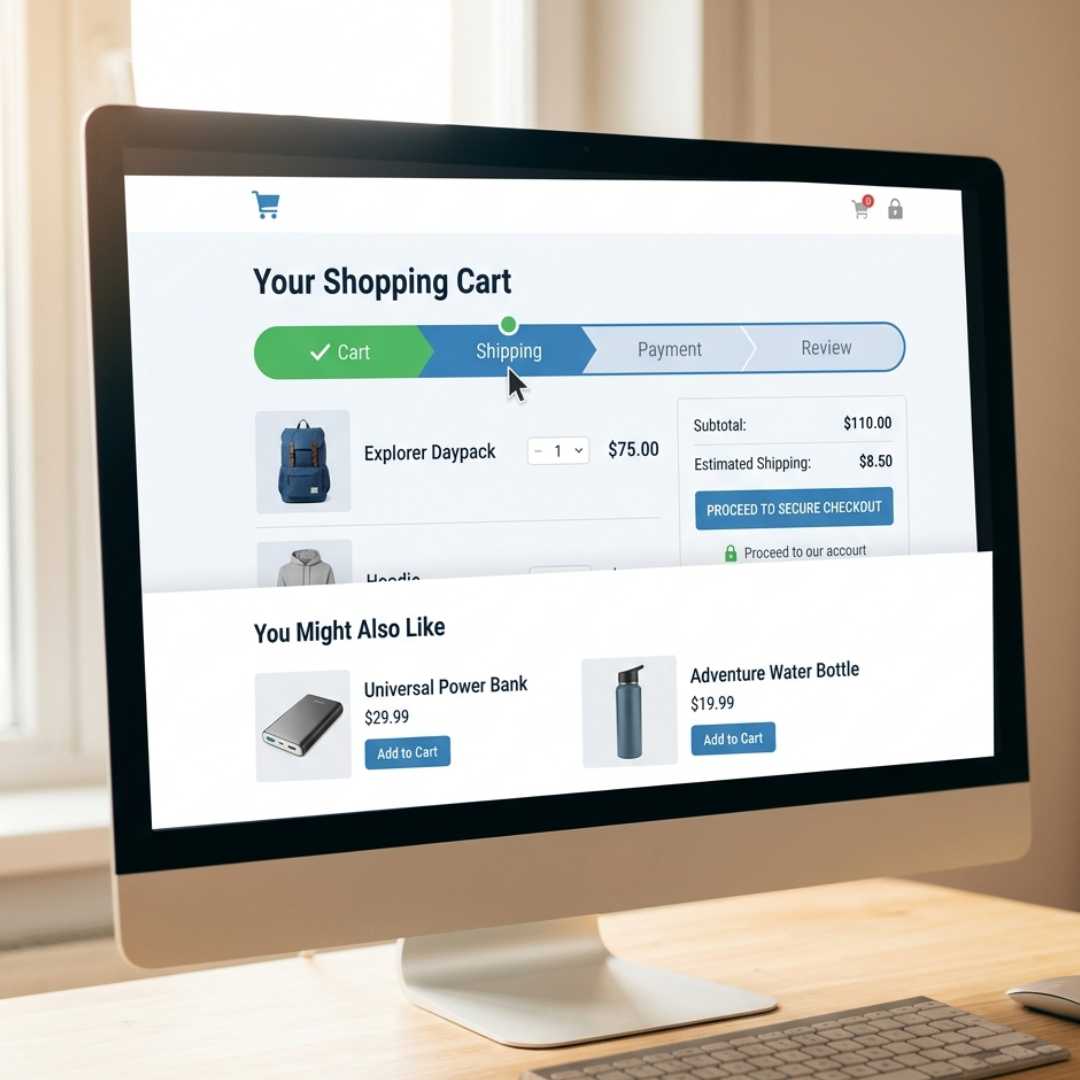
- Adding free shipping progress bars
- Showing urgency (limited stock, timer)
- Suggesting small add-ons
![Product price split into monthly installment display]](https://blog.expertsinshopify.com/wp-content/uploads/2026/03/12.jpg)
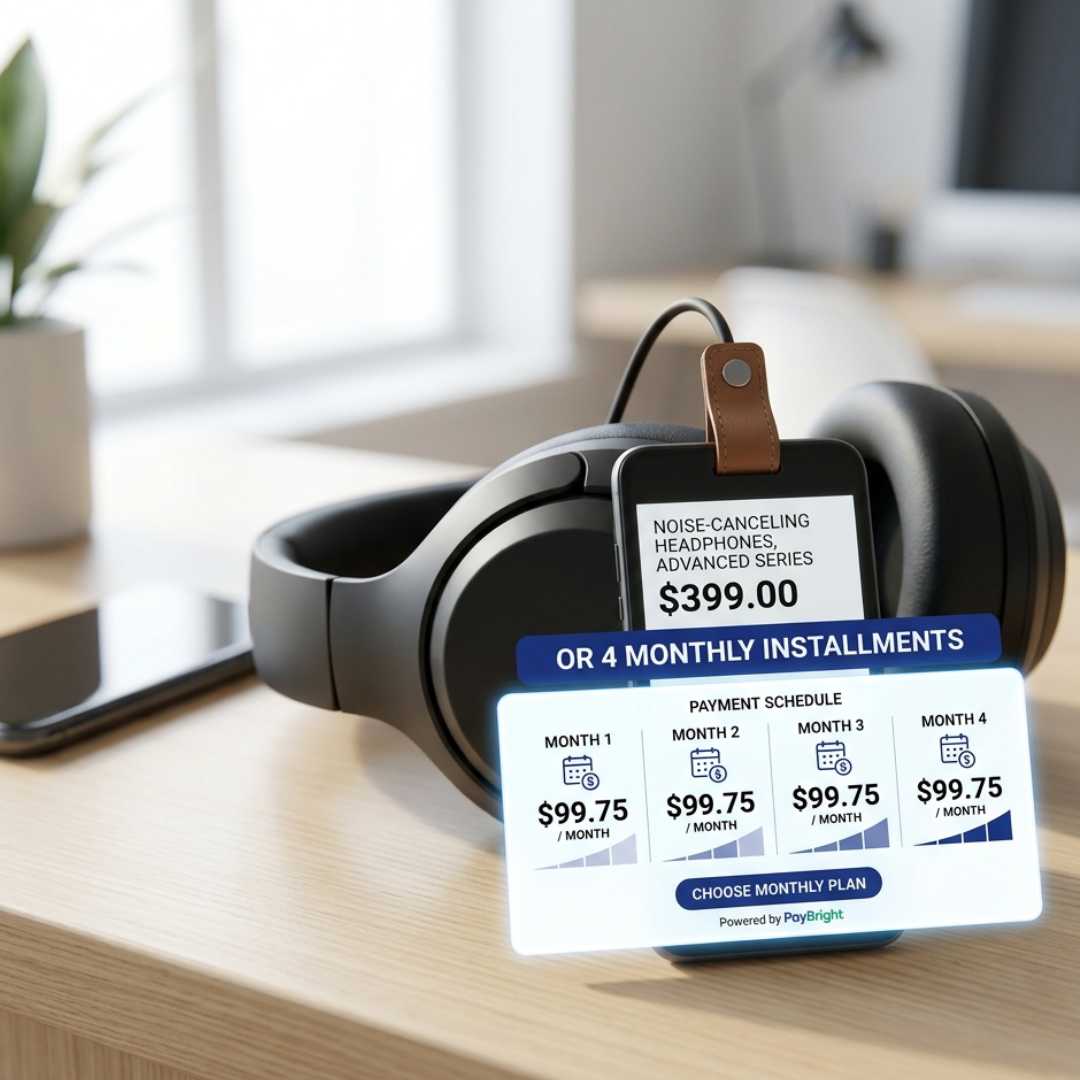
7. Can payment plans increase sales?
Yes, especially for expensive products.
Instead of showing ₹50,000, show:
₹4,200/month
This makes buying feel easier.
8. Are you using post-purchase offers?
After checkout, customers are more likely to buy again.
You can:
- Offer add-ons
- Show discounts
- Increase average order value
9. Are you using the thank-you page effectively?
Most stores ignore this page.
Instead, use it to:
- Confirm the order clearly
- Give next steps
- Offer a discount for the next purchase
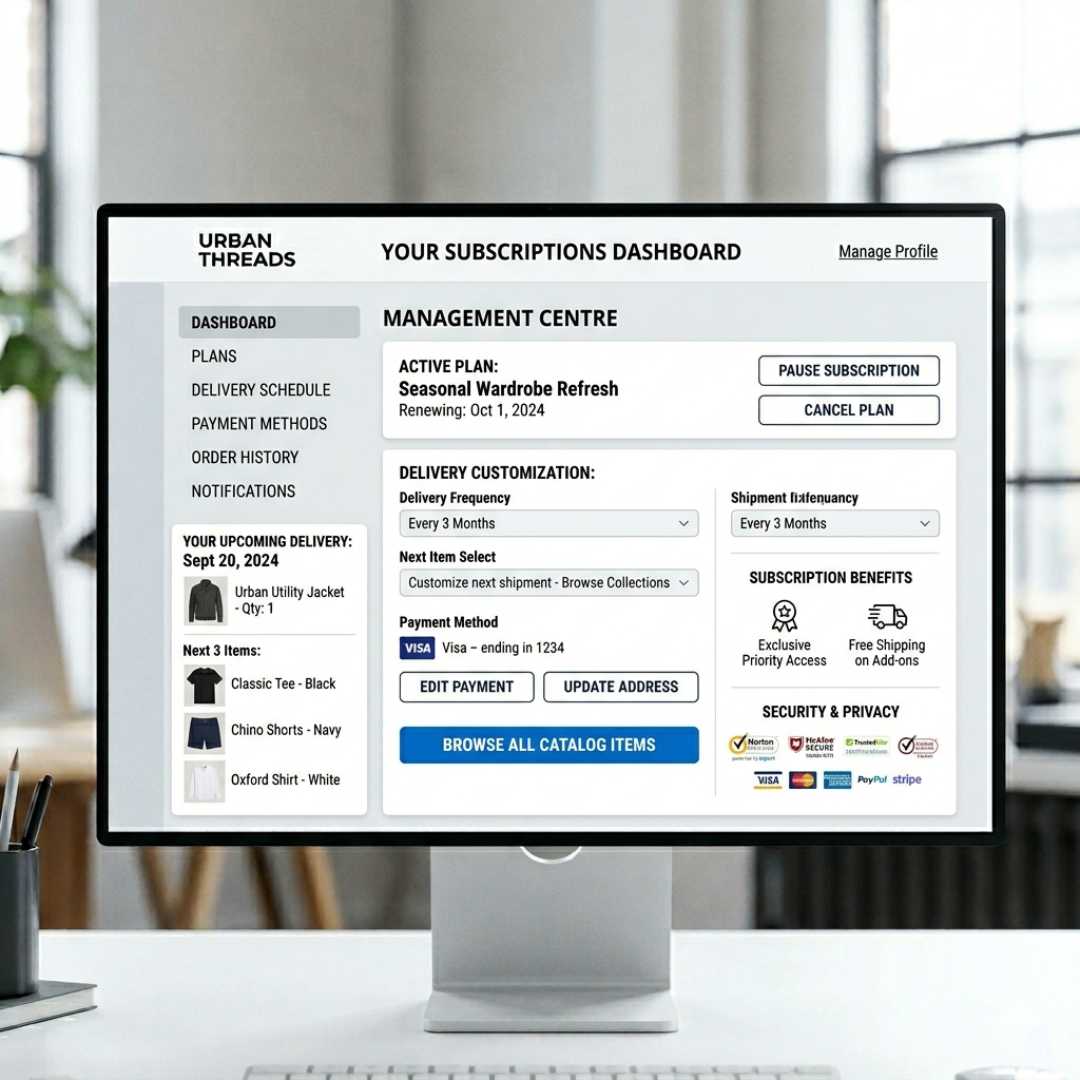
10. How do subscriptions impact checkout?
If you offer subscriptions, make it easy for users to:
- Manage orders
- Pause or cancel
- Change delivery
This builds long-term trust and retention.
What tools and features should you use?
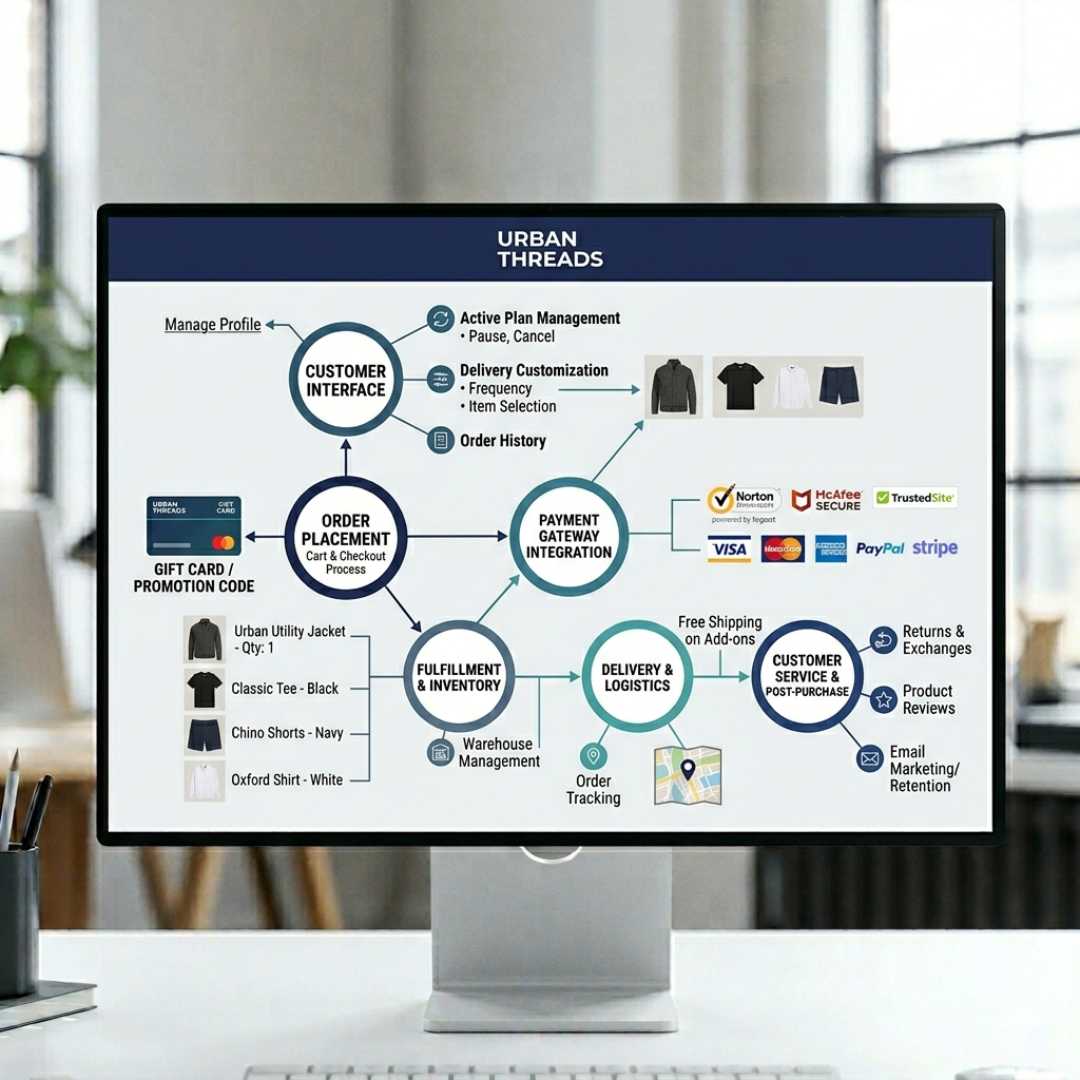
Here’s a simple structure I recommend:
Front-end experience
- Clean UI
- Strong branding
- Simple layout
Backend functionality
- Smooth order processing
- Reliable payment systems
Checkout tools
- Apps for upsells
- Custom messages
- Dynamic content
Final thoughts: What really makes checkout work?
From everything I’ve tested, checkout success comes down to this:
- Remove confusion
- Reduce effort
- Build trust
You don’t need big changes—small improvements can bring big results.
About Us
We are a digital agency that helps businesses build and scale their online stores with complete end-to-end solutions. From Shopify store setup and checkout optimization to custom development and performance marketing, we focus on creating high-converting and user-friendly e-commerce experiences tailored to your brand.
Contact Us – E commerce Solutions & Consultation
Office No: 35, 19th Floor, The Binary Tower by Omniyat, Marasi Dr, Business Bay
Dubai, United Arab Emirates


